

A ticket in two clicks. Approval on WhatsApp.
Real governance does not have to turn into red tape. Ticket opening, approval, closure, details and history reach your WhatsApp, and every step is described, recorded and attached in GLPI. Hours and reports live in the client portal, ready for audit.
Too much process stalls the operation. Too little, and nobody knows what was done.
Most ITSM tools pick one of the two extremes. We decided to stay in the middle: the ritual exists and is traceable, but it happens where your routine already happens. Opening, approval, closure, details and history flow through WhatsApp, and nothing goes unrecorded. The screens below come from the environment running today.
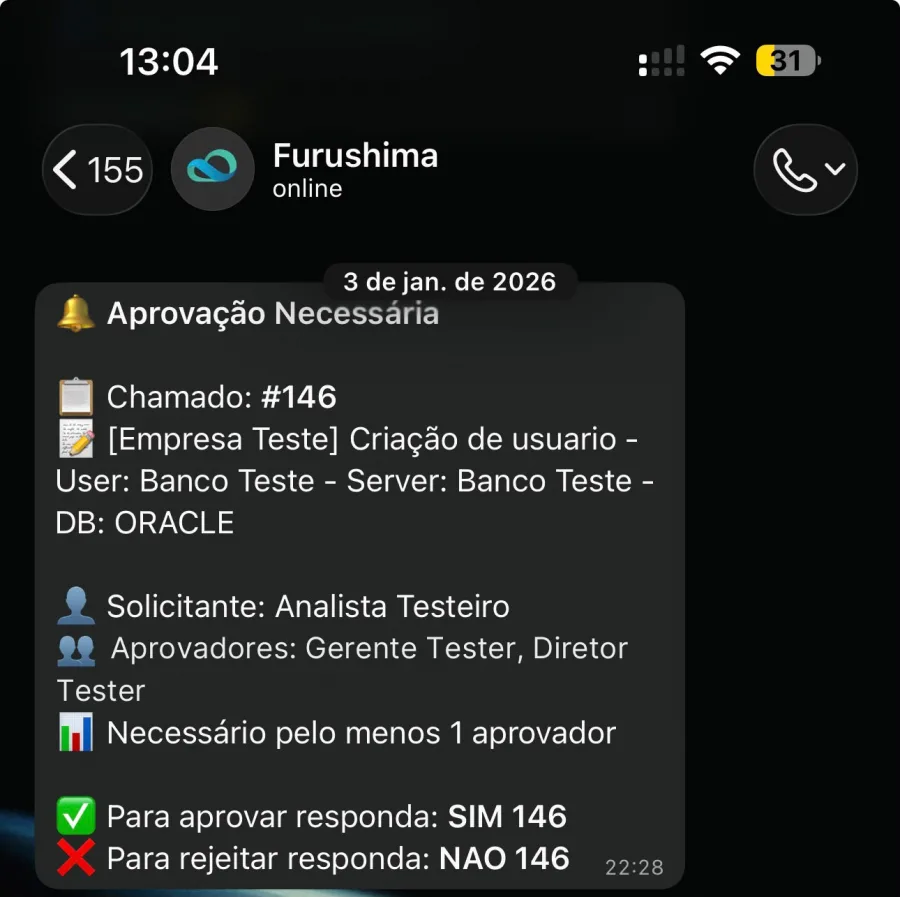
Approving is replying SIM plus the ticket number
The request lands on your WhatsApp with the ticket number, the title, who asked for it and how many approvers are required. You reply SIM 146 to approve ticket 146, or NAO 146 to reject it. No login, no link to click, no extra system.
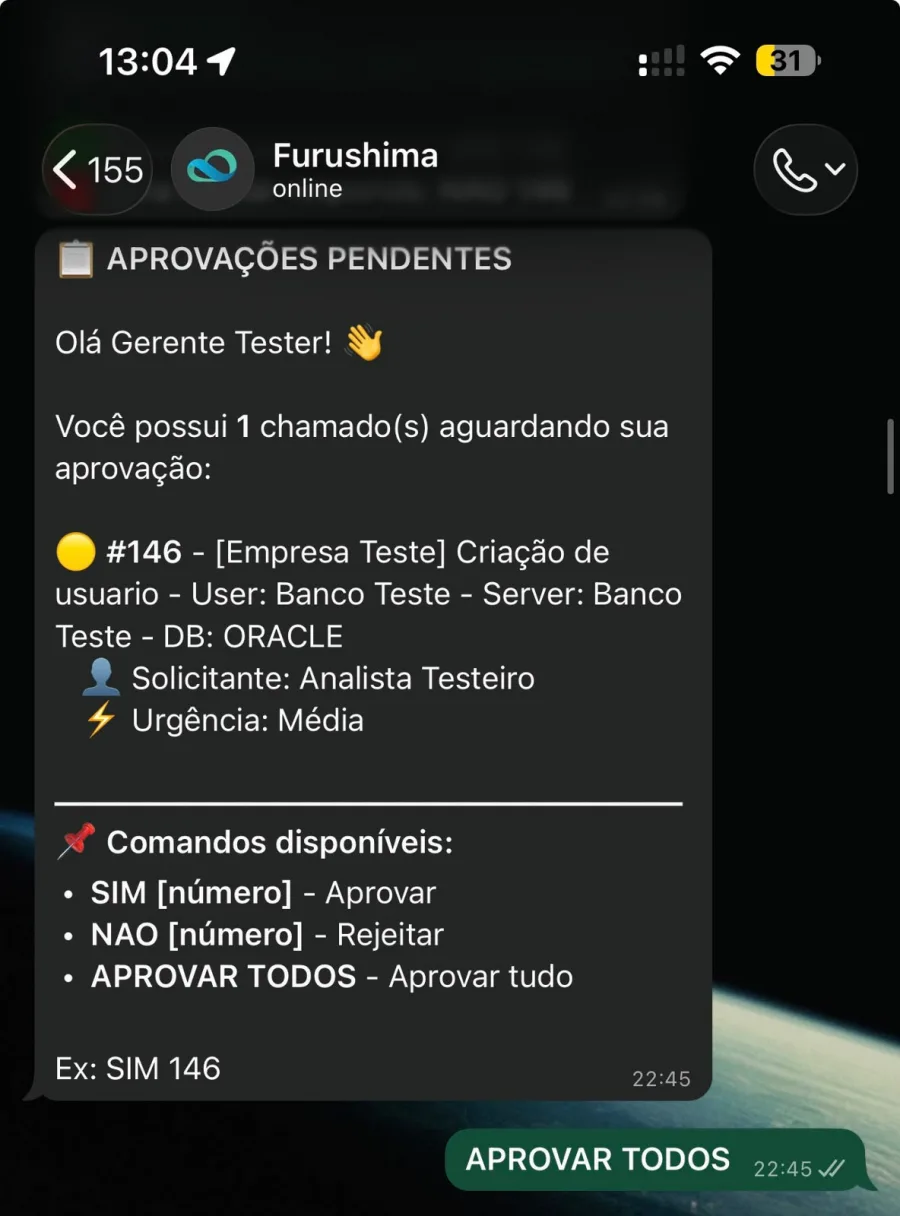
If they pile up, type pendentes: the bot lists everything waiting on your name and accepts APROVAR TODOS to clear it all at once.
- Approvers and quorum defined per request type
- Each approver sees only what belongs to them
- Every yes and no goes back into the ticket, with author and time
The ticket tells you when it is born and when it closes
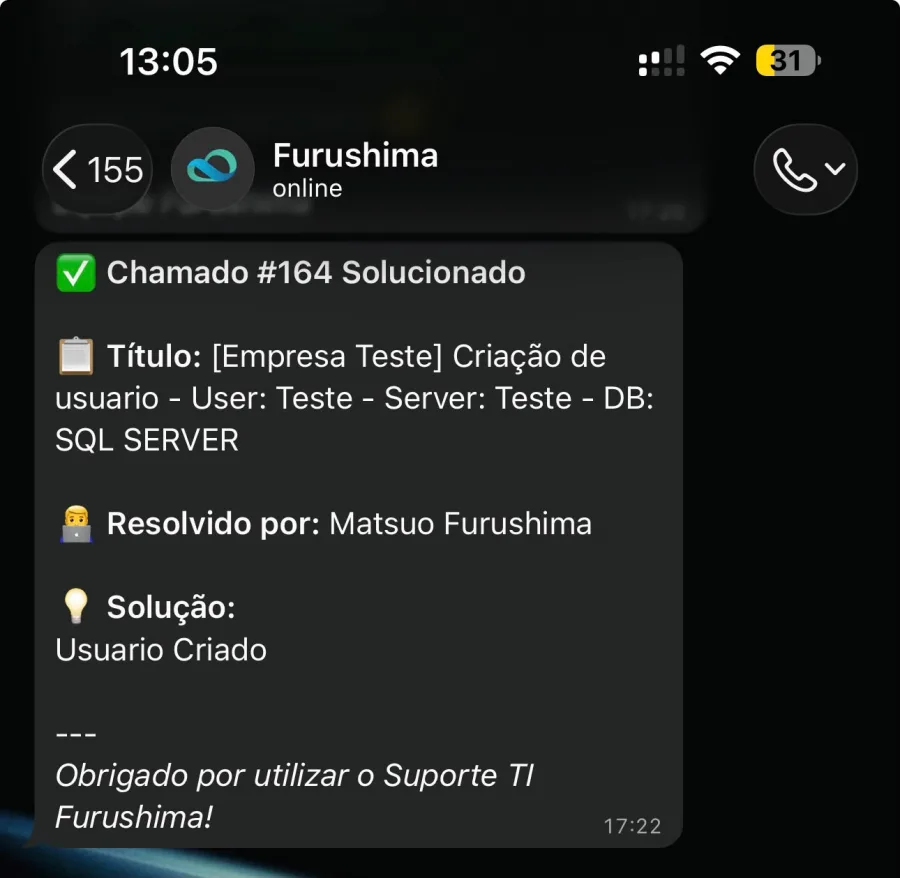
As soon as the ticket is opened, the requester gets a confirmation with the number on WhatsApp. When the specialist closes it, a message comes back with who solved it and which solution was applied.
Nobody has to log into anything to know it is done, or keep asking in the group chat whether someone has looked at it yet.
Ask about a ticket and it answers on the spot
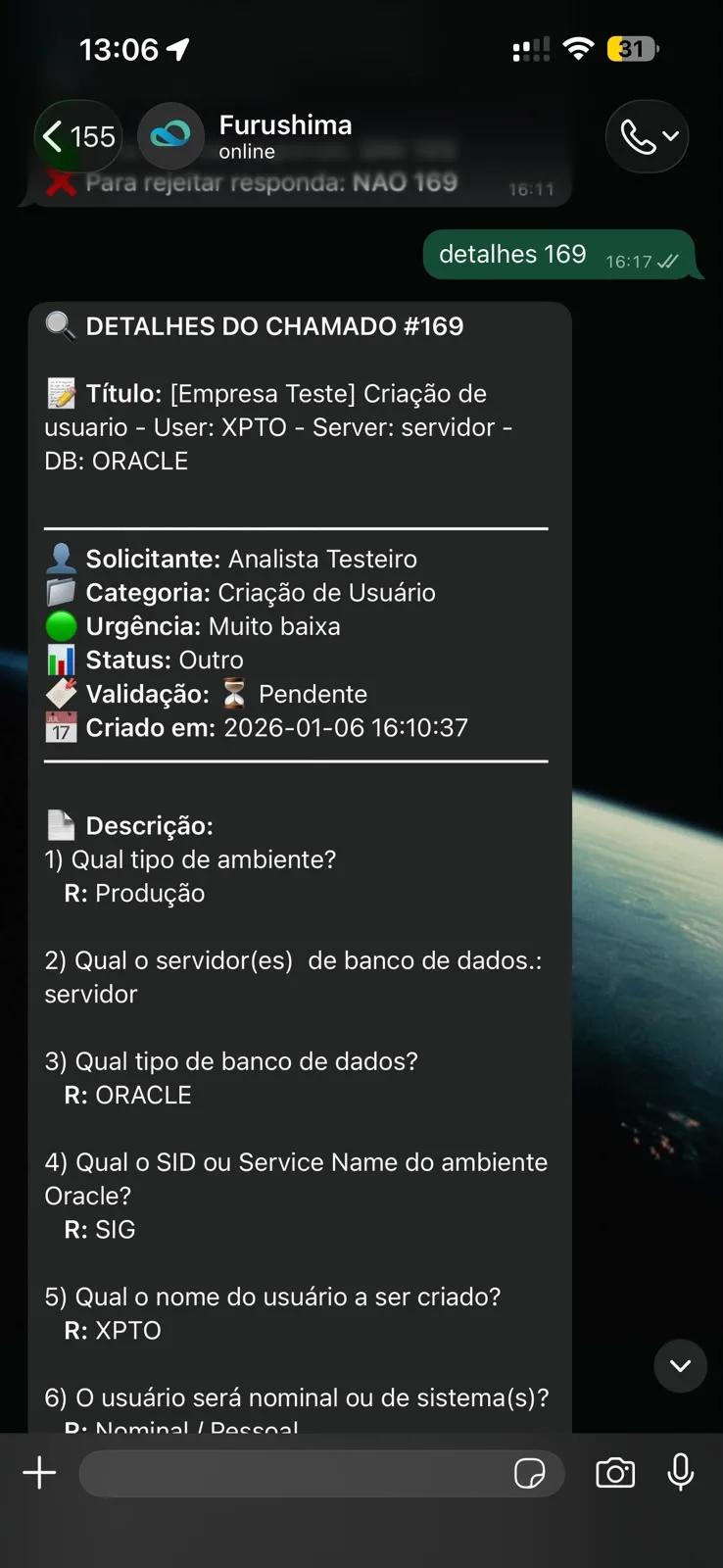
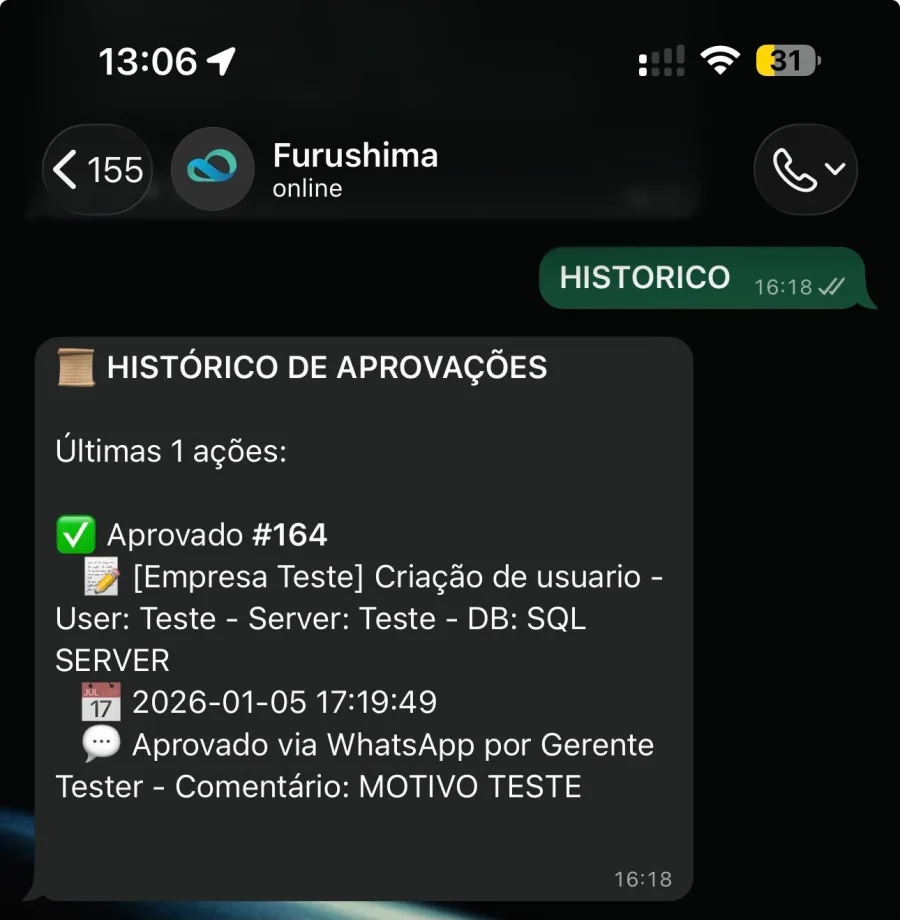
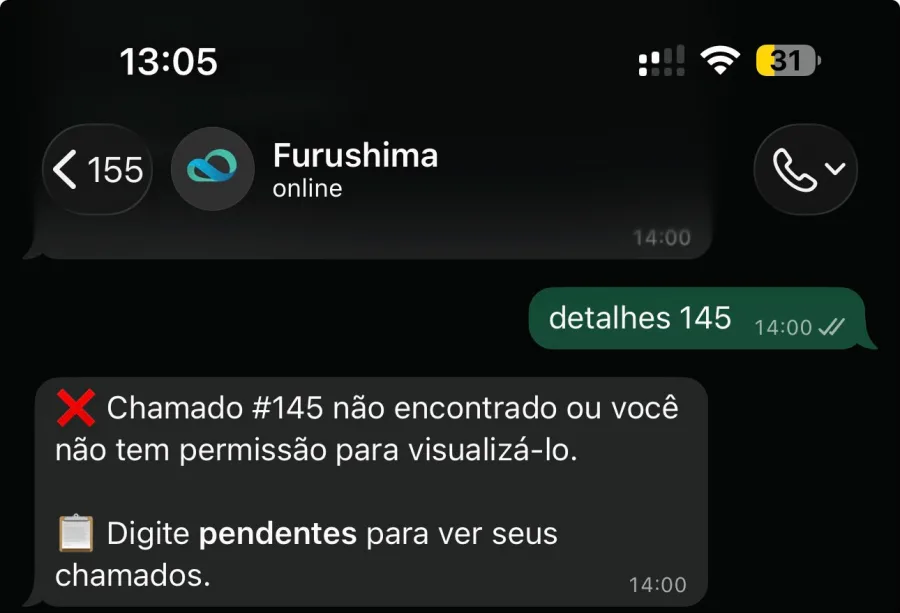
Type detalhes 169 and the whole ticket comes back: title, requester, category, urgency, status, validation and the form answers, question by question. Type historico and you get the list of recent approvals, each with date, time and the approver’s comment.
It is the full ticket inside the chat, without opening the portal and without asking anyone. And the bot respects GLPI permissions: a ticket that is not yours, and that you do not approve, simply does not show up.
A ready-made catalog, not a blank form
Whoever opens it does not have to translate the problem into technical language. Pick the area, pick the service and answer what the form asks. The ticket is born classified, prioritized and with the right specialist on the other side.
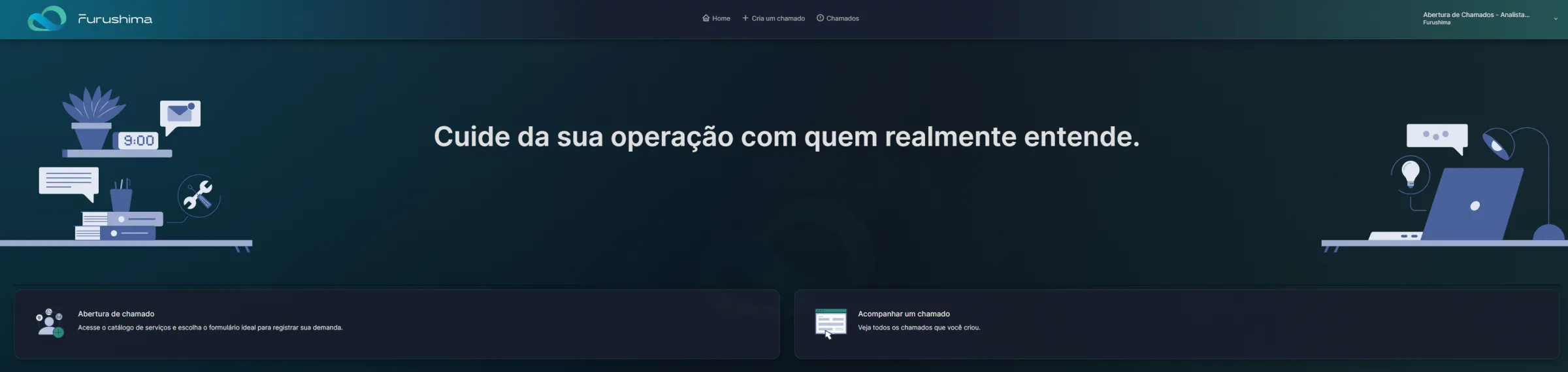
The home screen asks a single question
Open a ticket or track the ones you already created. No twenty-item menu, no one-hour training, no user manual. Whoever needs help gets in and gets it done in seconds, even if they use the portal once a month.
Every request has the right form waiting
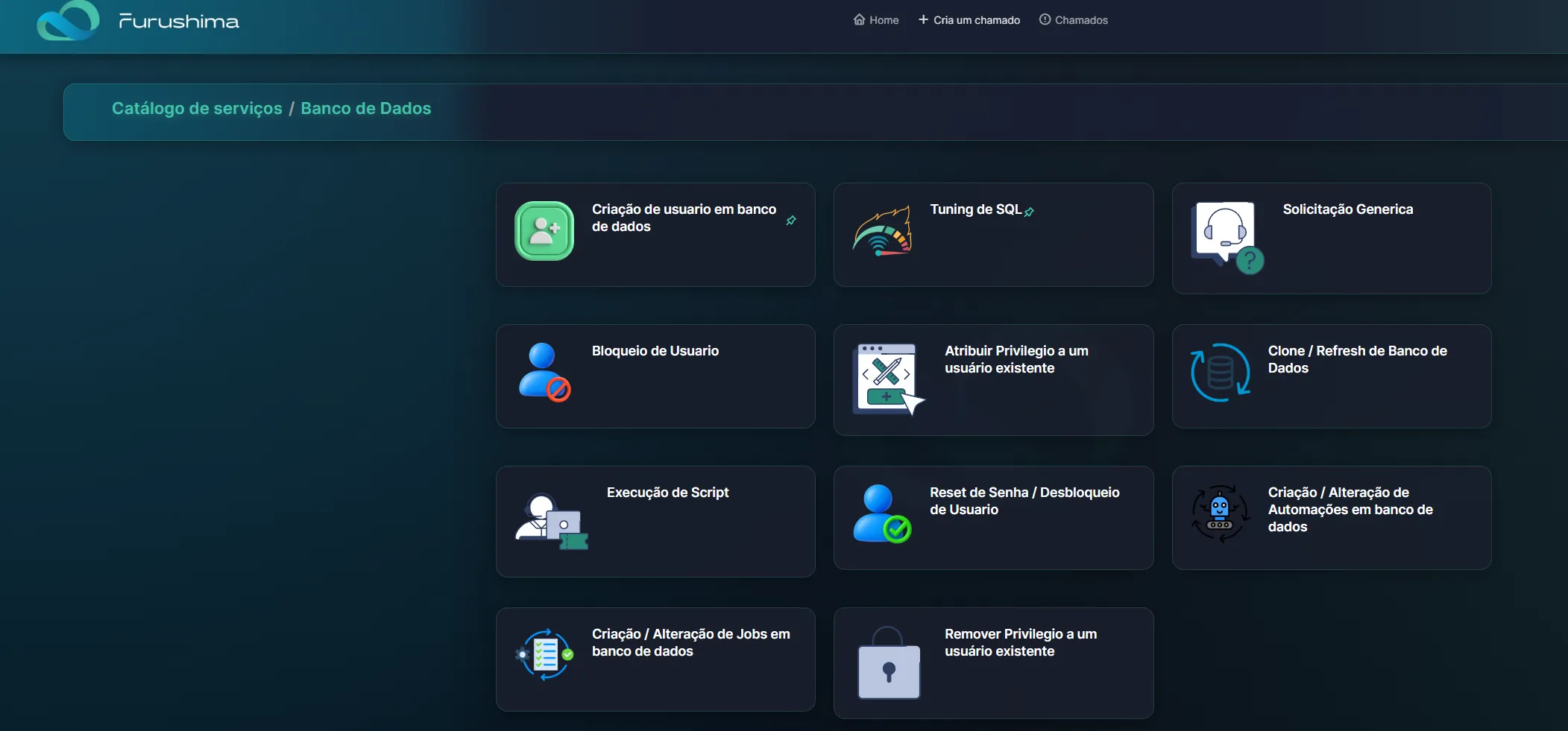
Databases, cloud, monitoring and DevOps. Inside each area, the exact service: user creation, SQL tuning, database clone and refresh, script execution, threshold adjustment, job creation. You pick the area, pick the service and answer the questions the specialist would ask anyway.
The ticket arrives classified, prioritized and with enough information to get started. That is what eliminates the three days of back and forth before anyone touches the environment.
- Four service areas in the same catalog
- A dedicated form per request type, with the questions that matter
- No blank field asking you to describe your request

Agile up front, traceable underneath
The lightness is only on the outside. Underneath runs a serious ITSM, on GLPI, and that is what answers on audit day. What it records ticket by ticket becomes numbers on the FuruFlow dashboard.
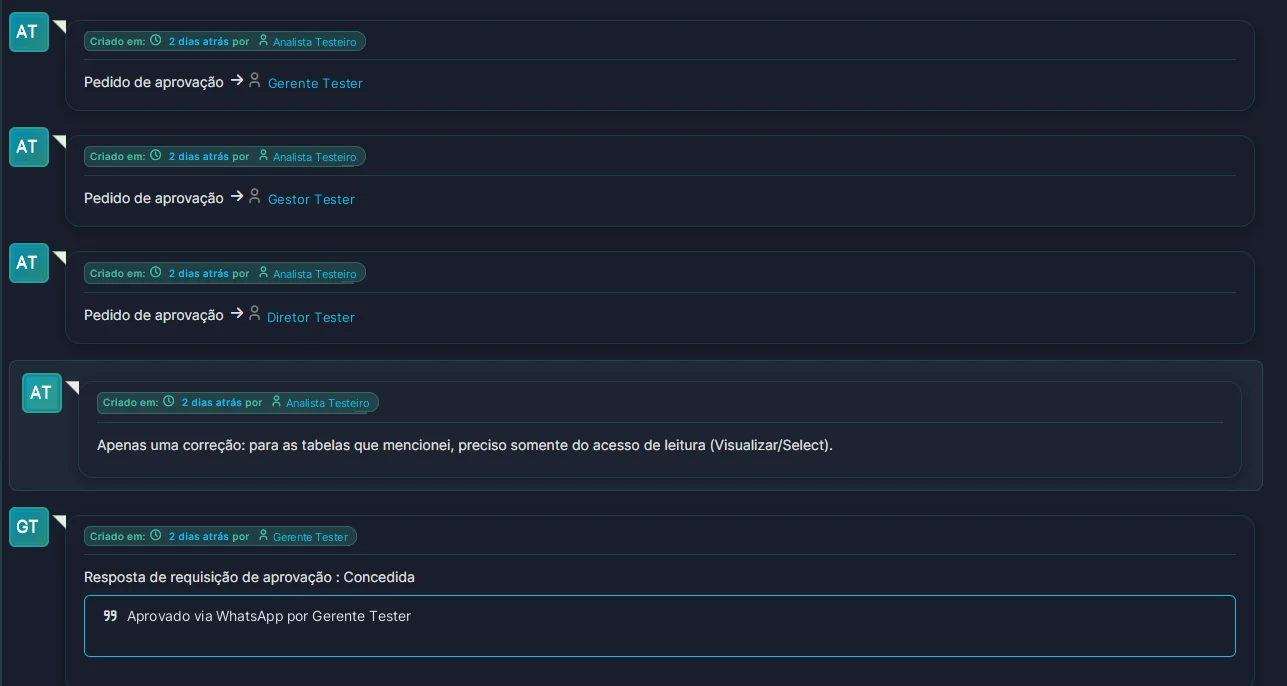
The WhatsApp yes becomes a line in the ticket
The approval request goes out to each approver, the answer comes back with author, date and time, and the requester’s comment sits on the same timeline, in the order it happened. The trail stays whole: who asked, who approved, through which channel and when.
- Incident, request and change with their own workflows
- Response and resolution SLAs measured, not estimated
- Hours per ticket, per system and per period
- Approvals attached with author, date and time
And the whole period shows up on a single dashboard
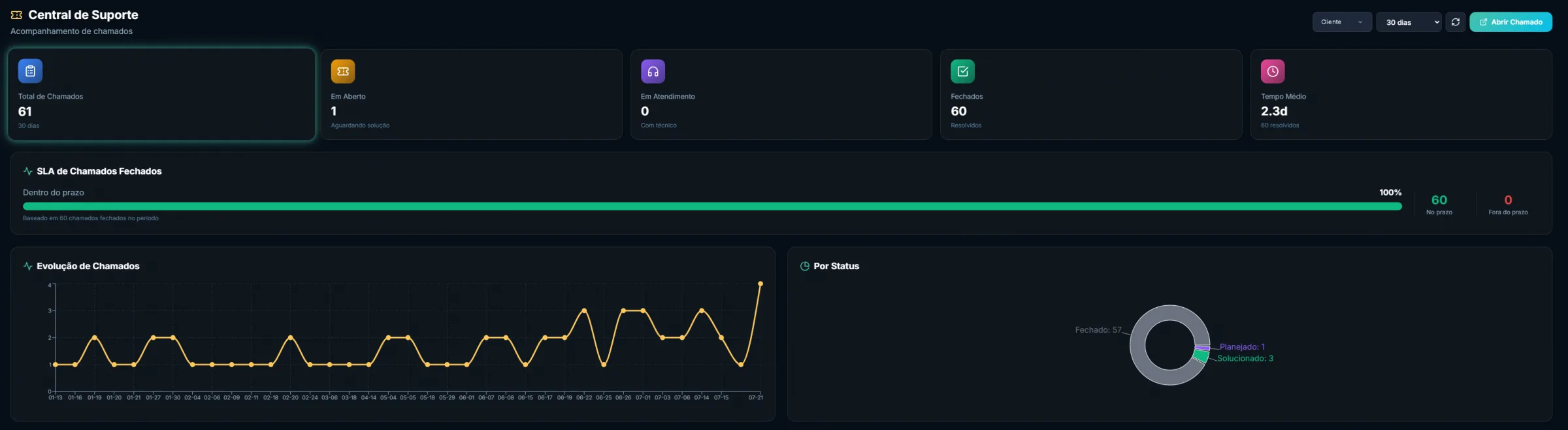
Inside FuruFlow, the Support Center shows the entire queue: how many tickets came in, how many are open, how many are with a technician, how many were closed and the average time to resolution. The SLA bar tells you how many stayed within target, with the day-by-day evolution and the breakdown by status right next to it.
It is the same information that goes into the monthly executive report, available around the clock, without waiting for someone to build a spreadsheet.
- Total, open, in progress and closed for the chosen period
- SLA for closed tickets measured, not estimated
- Average resolution time and day-by-day evolution
The same control, without the friction
The difference is not in what gets recorded, it is in how much of your day it costs.
The usual way
- A long form to open anything
- An approval stuck in an email nobody saw
- Login and password just to check a status
- Changes made on the fly and formalized later, when there is time
- Reports that arrive after the month is already gone
Furushima’s Agile ITSM
- A ready catalog: two clicks to the right form
- Approvals that arrive on WhatsApp and come back recorded
- Opening, closing and status in the same chat
- Execution and evidence always logged in GLPI
- Hours and history available in the portal at all times
What people usually ask first
Does a WhatsApp approval hold up in an audit?
Yes, because WhatsApp is just the channel. The approval is recorded in the GLPI ticket with who answered, what was approved, the date and the time, along with the description sent before execution. What auditors ask for is that trail, and it exists from start to finish. It is exactly what you see in the GLPI screen above.
Do I have to replace the ticketing tool I already use?
No. Furushima tickets live in our GLPI and your internal process stays where it is. When it makes sense, we integrate the two sides so you never type the same thing twice.
Who can approve? Anyone on my team?
Only the people you define. The approver list is agreed at the start of the contract and can vary by action type: a production change usually requires a specific name, while a low-impact routine can proceed with the technical team’s sign-off. The bot also tells you how many approvers each request needs.
Can someone who is not an approver see other people’s tickets?
No. WhatsApp lookups respect the same GLPI permissions: if the ticket is not yours and you are not one of its approvers, the bot replies that the number was not found. Nobody sees another area’s request by accident.
And in a middle-of-the-night emergency, does everything stop and wait for approval?
No. A down environment is a down environment. The emergency actions agreed in the contract are executed right away and the record is written immediately after, with everything that was touched. That is exactly where the agility lives: the ritual exists for what can wait and gets out of the way for what cannot.
Does Agile ITSM come with managed support?
It does. Every 24×7 managed support client gets this workflow, integrated with monitoring and FuruFlow. What the environment detects enters the queue the same way your own requests do, and leaves documented. Ticket management is also available for one-off projects.
Watch a ticket get created, approved and closed
In fifteen minutes we walk you through the whole flow with demo data, and you decide whether it makes sense for your team.