

The question arrives like this: “we are on Oracle 19c, when does support end? do we have to go to 23ai?”. And the answer has changed twice in the last two years. 23ai dropped off the map and became 26ai. The 19c date, which was April 2024, then April 2026, is now December 2029. So here is what the official Oracle document says, what I saw running a real 26ai in the lab, and what I would do in each situation.
Short answer for those in a hurry: if you are on 19c, on Linux, with Release Updates current, there is no need to rush. But you do need to put the upgrade on the calendar, because December 2029 comes fast and the direct upgrade path to 26ai only exists from 19c and 21c.
The dates, from the Oracle document and not from rumor
Every Oracle support date lives in a PDF called Lifetime Support Policy, Oracle Technology Products. The version I downloaded is dated October 2, 2026. The Oracle Database table is on page 6, and these are the rows that matter:
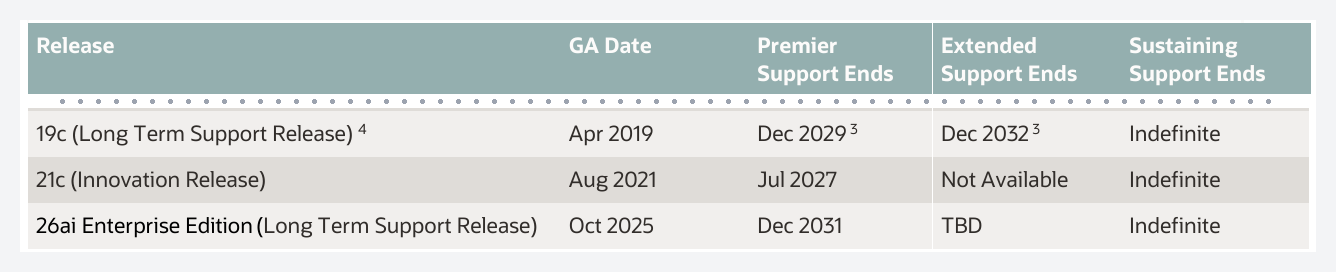
Oracle Database 19c: Premier Support until December 2029, Extended Support until December 2032. Oracle AI Database 26ai Enterprise Edition: Premier until December 2031, Extended “TBD”. 21c, which is an Innovation Release, ends in July 2027 and has no Extended at all.
Notice a detail almost nobody mentions: Premier for 26ai ends only two years after Premier for 19c. Whoever upgrades in 2029 will be on a release that starts the Extended conversation in 2031. That is not a reason to stay on 19c, it is a reason not to assume 26ai settles things for ten years.
There is a footnote on the same page that affects anyone not on Linux x86-64:

Oracle Database 19c: Please note that for customers running Oracle Database 19c, during the Premier Support period of May 1, 2027 through December 31, 2029, and the Extended Support period from January 1, 2030 through December 31, 2032, support will be excluded for Java 8 related third-party software (…)
Oracle Lifetime Support Policy, Oracle Technology Products, note 3 of the Oracle Database Releases table
In other words: 19c on Windows or AIX has the same date on paper, but from May 2027 the part that depends on Java 8 is left out. In practice Oracle is saying that the “real” 19c until 2029 is the Linux x86-64 one. If yours runs on Windows, that goes into the math.
And Extended Support is paid separately. The document itself defines it: “it provides you with an extra three years of support for specific Oracle releases for an additional fee”. So when I say “19c until 2032”, that comes with a check. Without the check, it is 2029.
Is 23ai gone? Yes, it became 26ai
This confuses everyone, and for good reason. 23ai shipped in 2024 for the cloud and Exadata, the on-prem release for regular Linux kept slipping, and in October 2025, at Oracle AI World, Oracle announced “Oracle AI Database 26ai”. It is not a new release on top of 23ai. It is the same product with a new number. Mike Dietrich, the upgrade guy inside Oracle, wrote on announcement day:
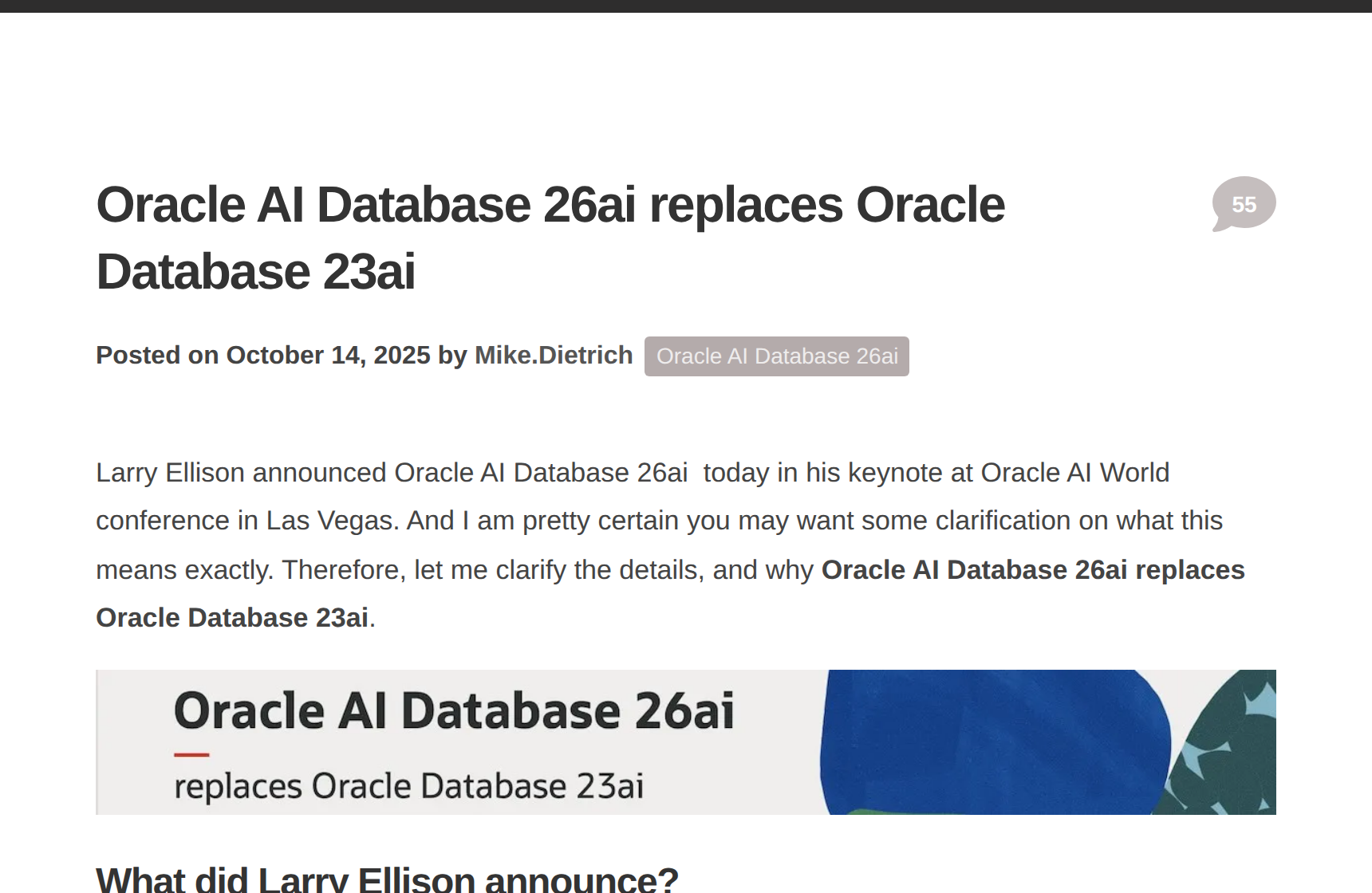
Larry Ellison announced Oracle AI Database 26ai today in his keynote at Oracle AI World conference in Las Vegas. And I am pretty certain you may want some clarification on what this means exactly. Therefore, let me clarify the details, and why Oracle AI Database 26ai replaces Oracle Database 23ai.
Mike Dietrich, “Oracle AI Database 26ai replaces Oracle Database 23ai”, October 14, 2025
The proof that it is the same product is in the version number. On-prem 26ai shipped on January 27, 2026 as “23.26.1.0.0”. Twenty-three point twenty-six. The engine is still 23, and the Release Updates continue as 23.26.2, 23.26.3 and so on. Anyone already on 23ai does not upgrade, they apply an RU. Anyone on 19c or 21c does a regular upgrade.
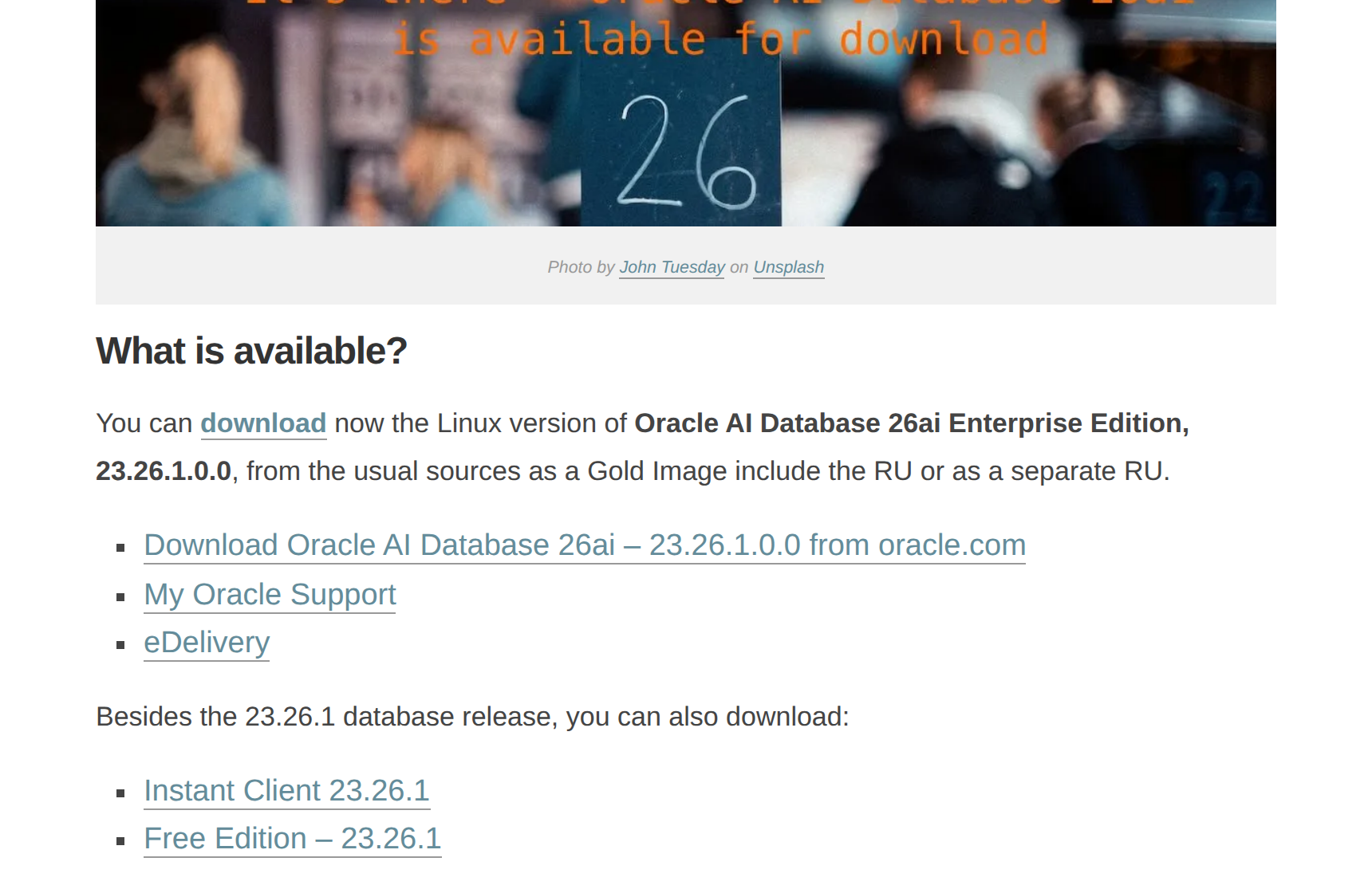
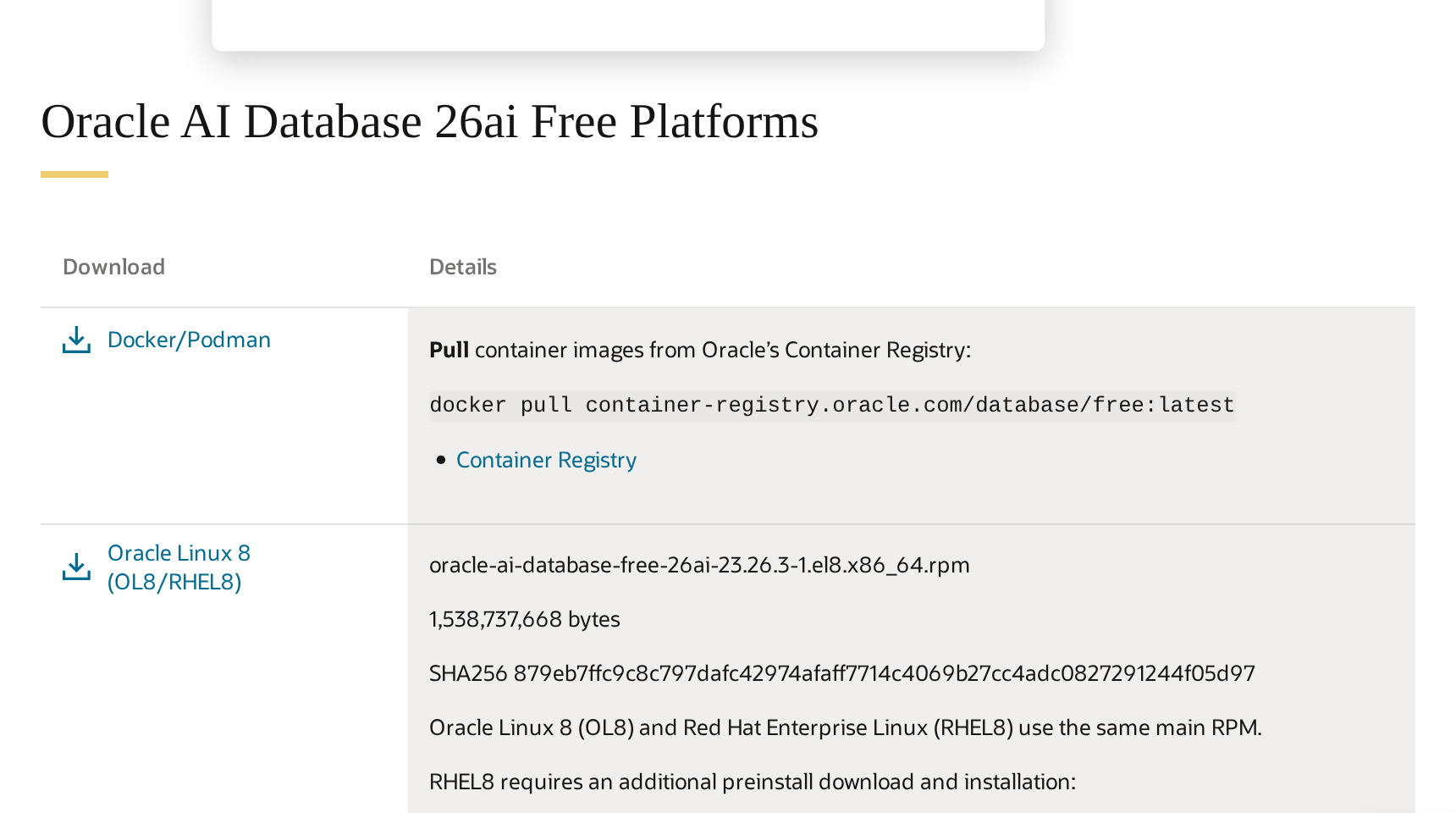
Look at the Oracle download page today. There is an RPM package for Oracle Linux 8, 9 and 10, and the home zip is called LINUX.X64_2326100_db_home.zip. Anyone who installed 19c will recognize the LINUX.X64_193000_db_home.zip pattern, only the number changed. For ARM, only GSM and the CMAN client. No Windows, no AIX, and no mention of Standard Edition 2. If you are on SE2, or on Windows, there is nothing to decide yet.
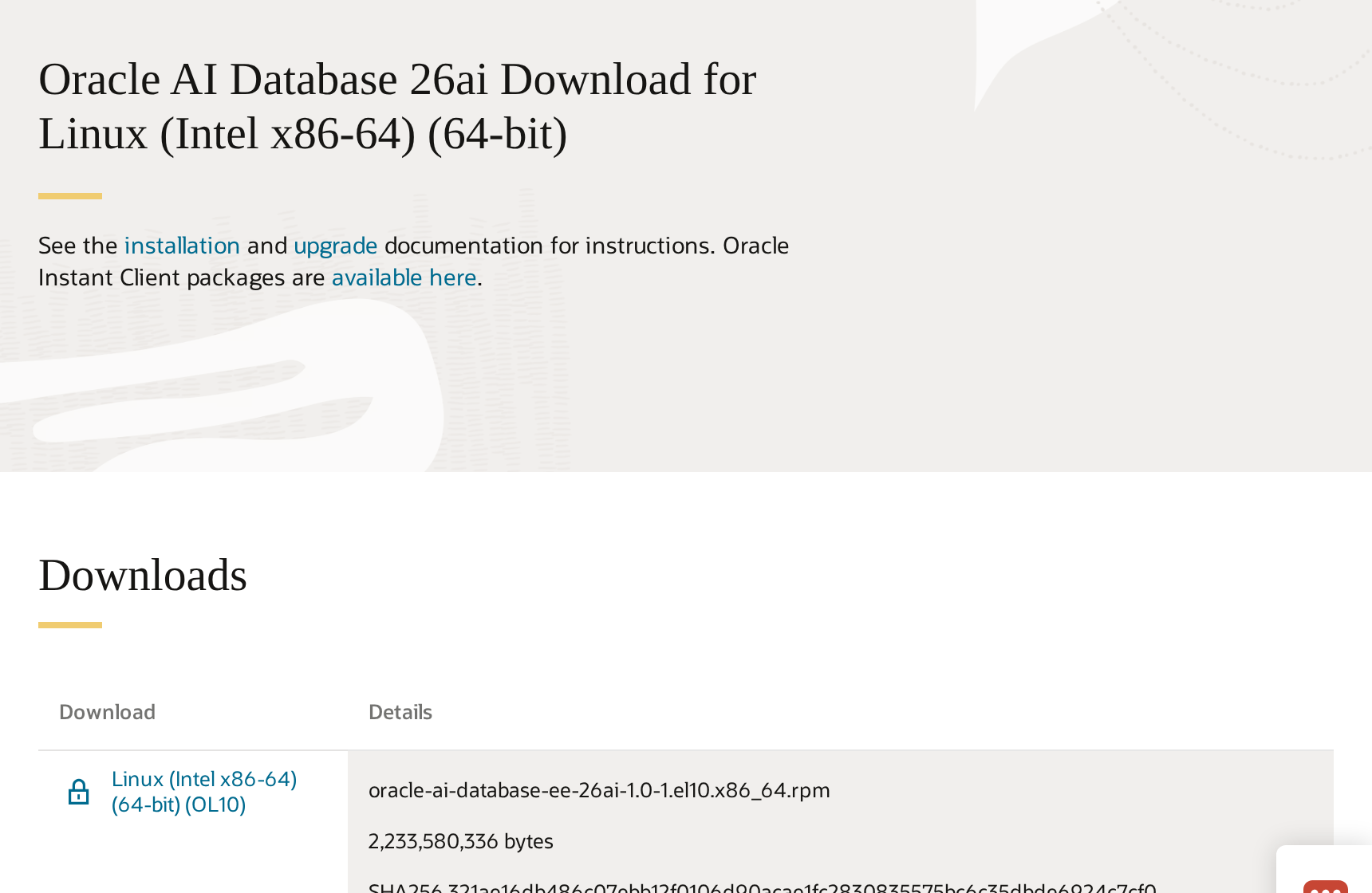
Another installation detail that changes: the operating system prerequisites package is no longer oracle-database-preinstall-19c, it is oracle-ai-database-preinstall-26ai. It sounds trivial, but it is the kind of thing that breaks provisioning scripts that have been running since 2020. If you use our step-by-step guide to installing 19c on Oracle Linux, it still applies to 19c, and I will write the 26ai one when the ARM release comes out.
Where you can upgrade directly from
Official documentation, the 26ai Upgrade Guide:
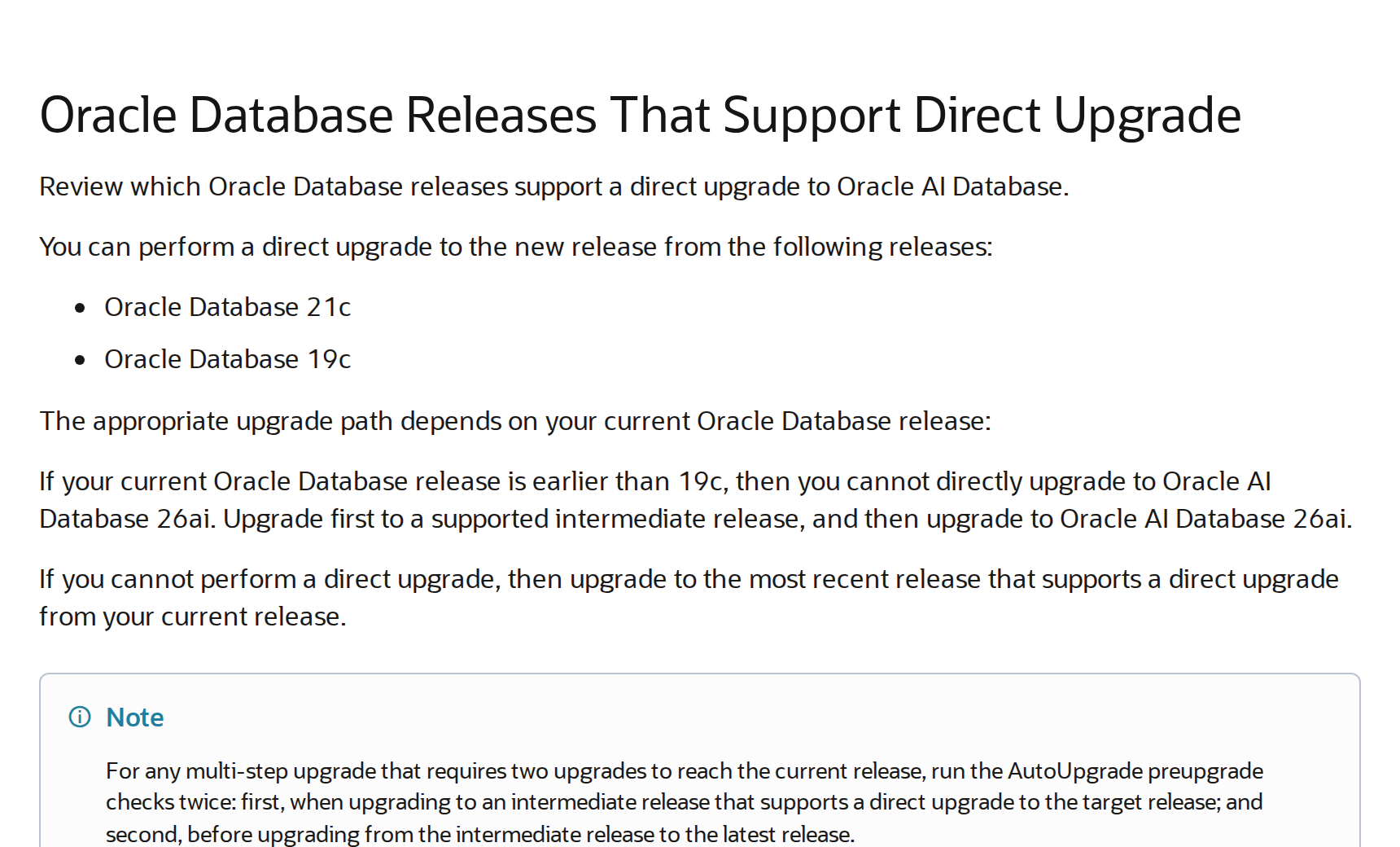
If your current Oracle Database release is earlier than 19c, then you cannot directly upgrade to Oracle AI Database 26ai. Upgrade first to a supported intermediate release, and then upgrade to Oracle AI Database 26ai.
Oracle AI Database 26ai Upgrade Guide, Oracle Database Releases That Support Direct Upgrade
This changes the conversation for anyone still on 11.2, 12c or 18c. The path is 19c first, and only then 26ai. And I see more 11g and 12c in production than people imagine, especially under ERPs. If that is your case, 19c is not an “old release”, it is the mandatory step, and it is supported until 2029 on its own.
Two more things that weigh on the upgrade. First: non-CDB is dead. Since 21c the container-less architecture has been desupported, and in 26ai the installer only creates CDBs. If your 19c is still non-CDB (and a lot of 19c that came from a 12c upgrade is), the upgrade to 26ai also becomes a conversion to PDB. AutoUpgrade does both, but it means a longer window, more testing, more things to validate in the application (services, connection strings, scheduler jobs).
The second is recent and caught me by surprise. RU 23.26.3 now requires a larger minimum SGA. On October 14, 2026 Mike Dietrich published a case where the same instance that started on 23.26.2 with a test SGA_TARGET failed on 23.26.3:
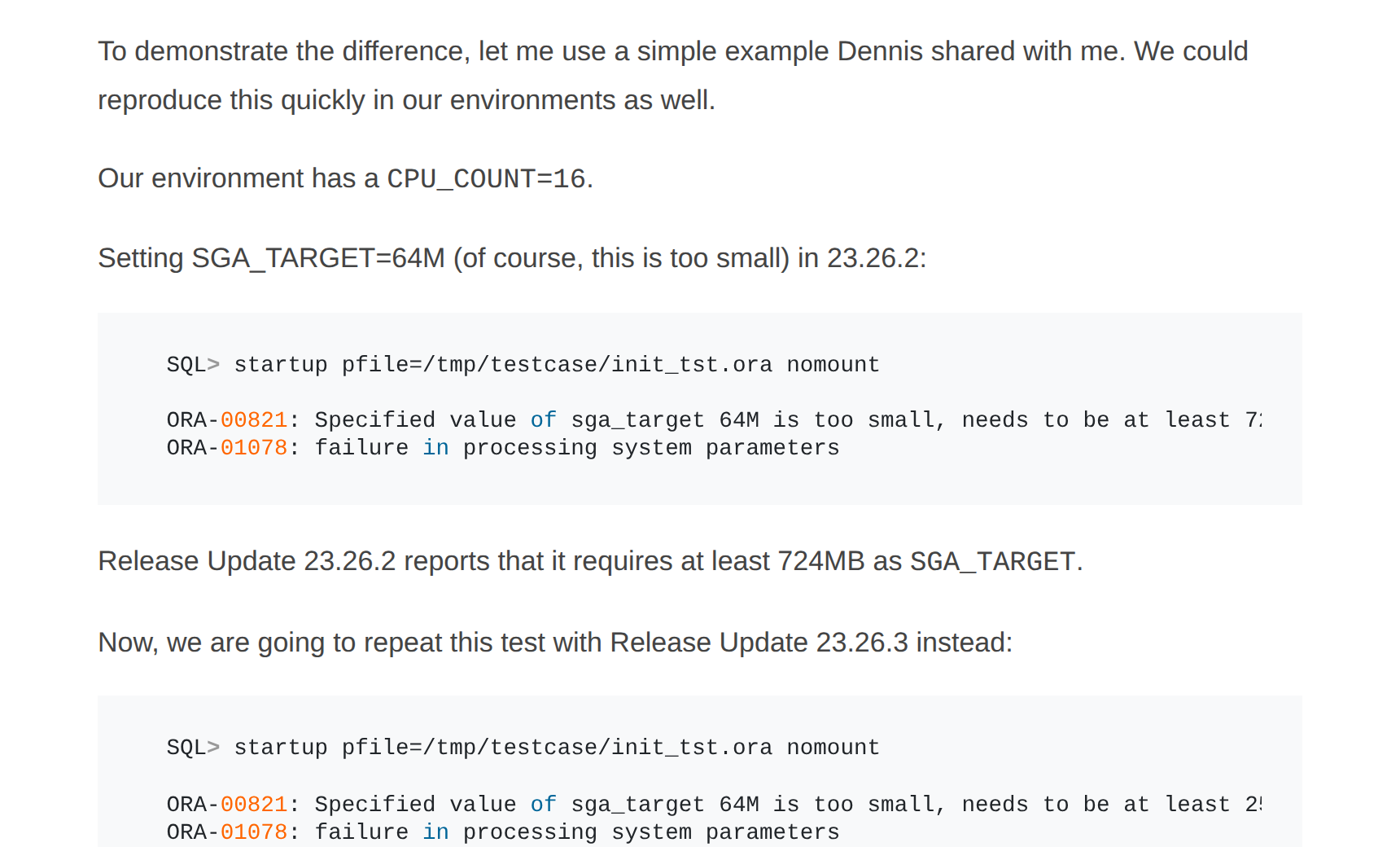
With CPU_COUNT 16 the minimum went from 724 MB to 2,516 MB. On a production machine with a 64 GB SGA this never shows up. In staging, on those small test databases we leave at 1 GB, it shows up immediately and the database will not start. Write that down before applying the RU.
I spun up a 26ai to see for myself
I do not like writing about a release I have not seen running. Oracle has the Free edition of 26ai as a container, and it even runs on ARM. I started the lite image on a 2 vCPU machine with 3 GB reserved for the container. It took about five minutes to be ready.
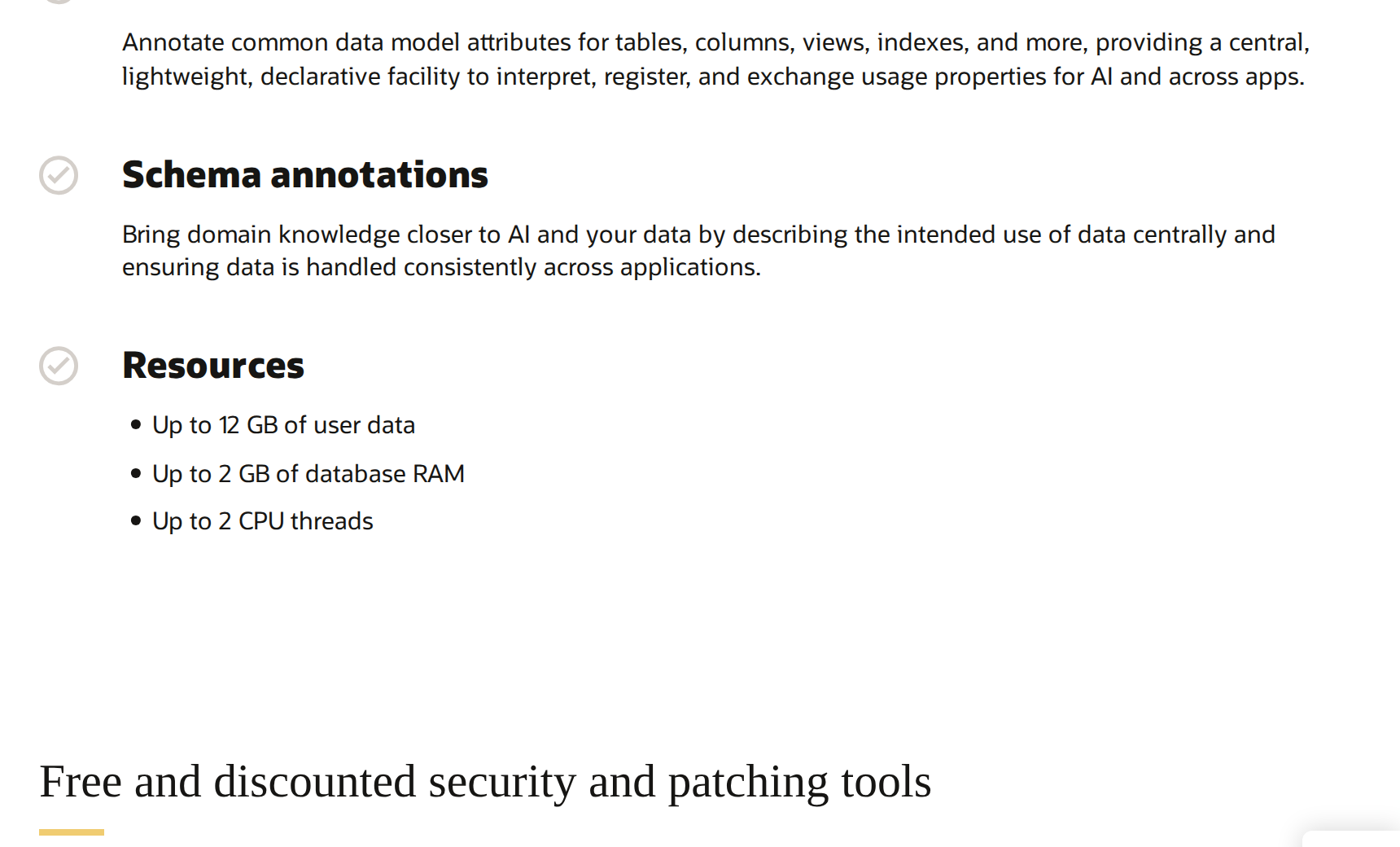
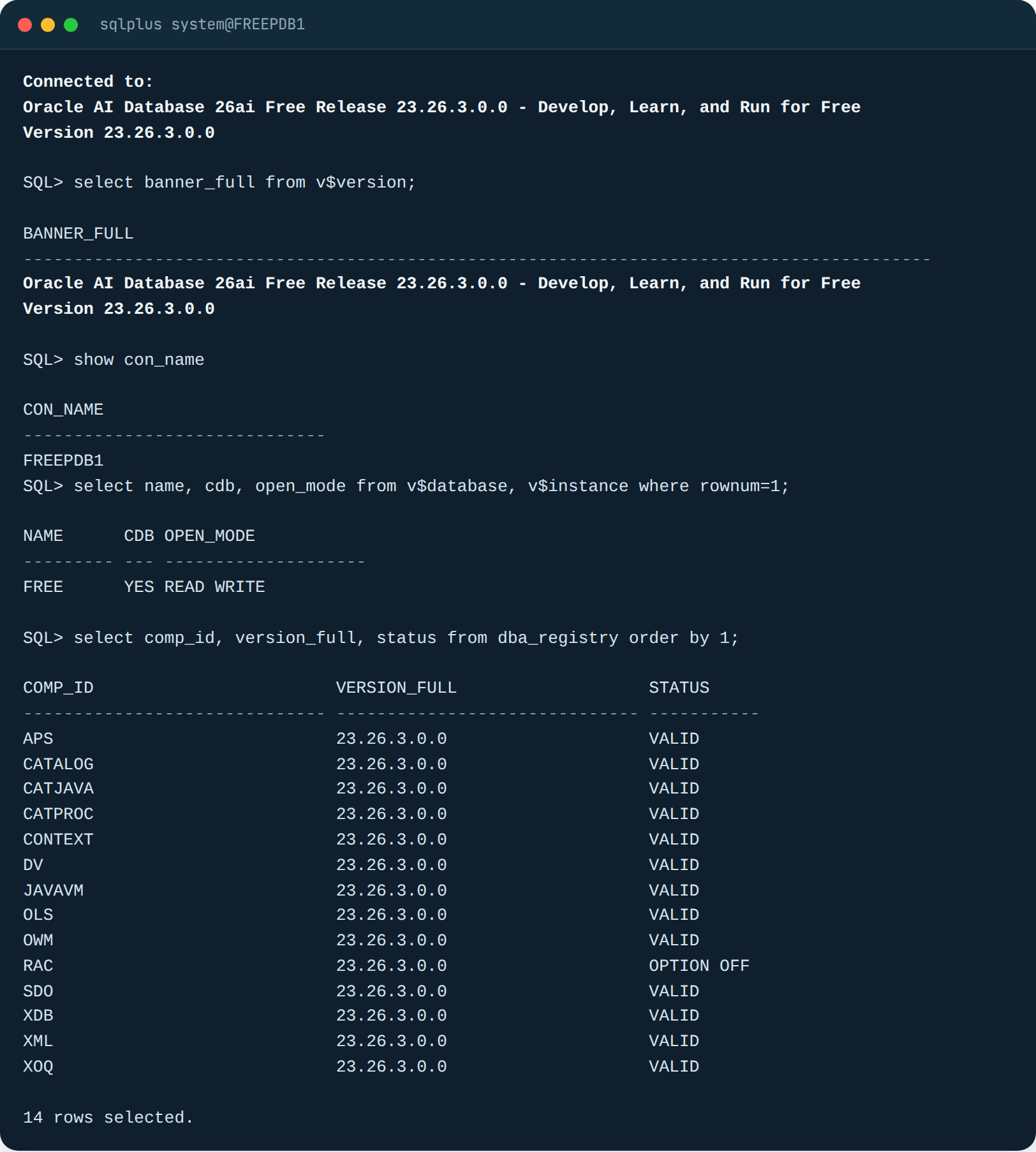
The banner says it all: “Oracle AI Database 26ai Free Release 23.26.3.0.0”. Then I went to test what changes day to day for someone who runs an ERP database. Not the slide-deck features, the terminal ones.
SQL that should have existed twenty years ago
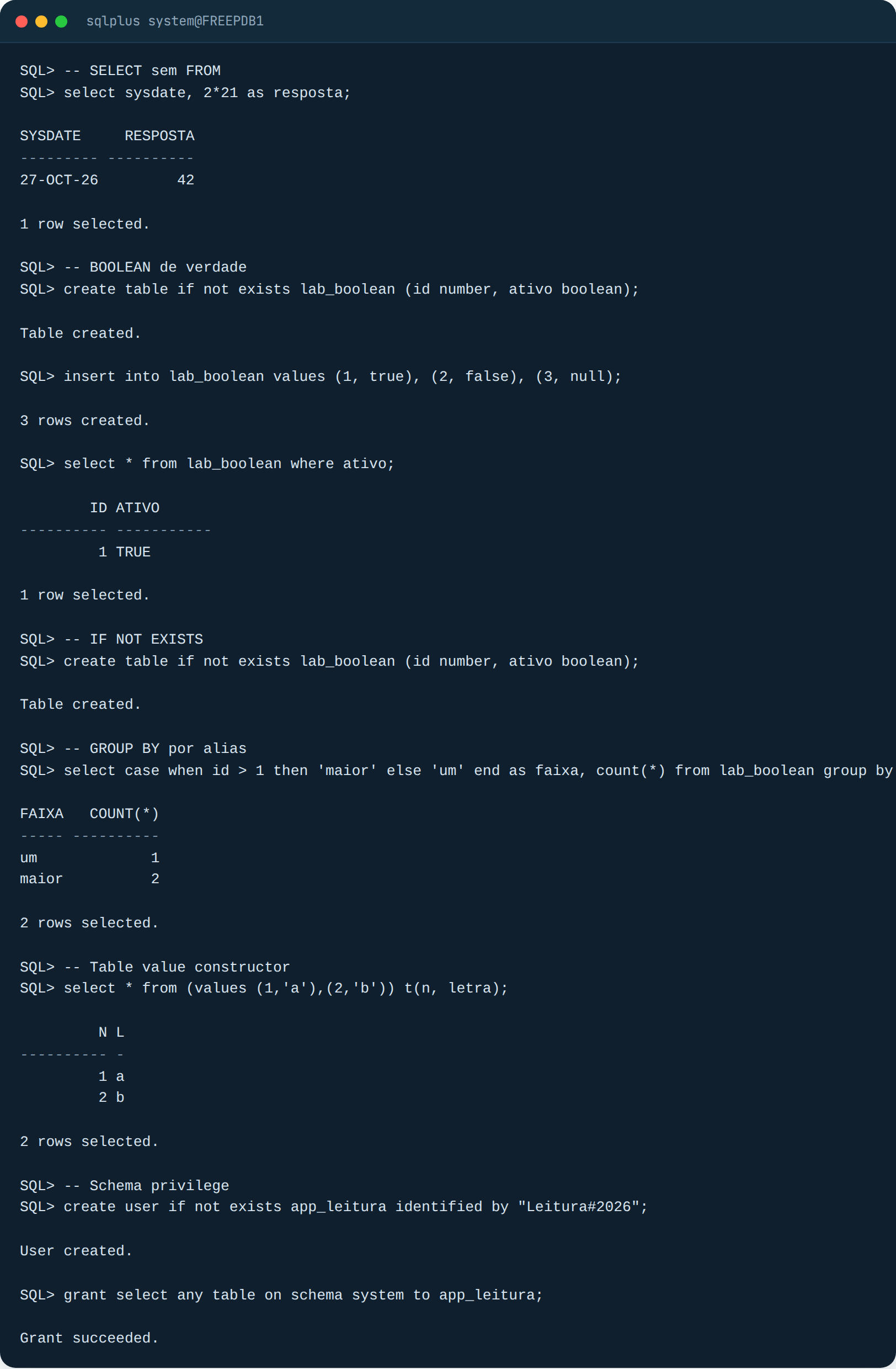
SELECT without FROM DUAL. A real BOOLEAN column, with WHERE ativo and no need to write = ‘S’. CREATE TABLE IF NOT EXISTS, which I ran twice on purpose to show it does not throw ORA-00955. GROUP BY the alias. VALUES as a table. And the one that interested me most: GRANT SELECT ANY TABLE ON SCHEMA system TO app_leitura. A single grant, per schema, instead of that 400-line script we maintain for BI and integration users.
My take: this is what will change the life of anyone who writes PL/SQL and operations scripts. It does not show up in keynotes because it has no “AI” in the name, but it is what you will use every week.
AI Vector Search, the reason for the name
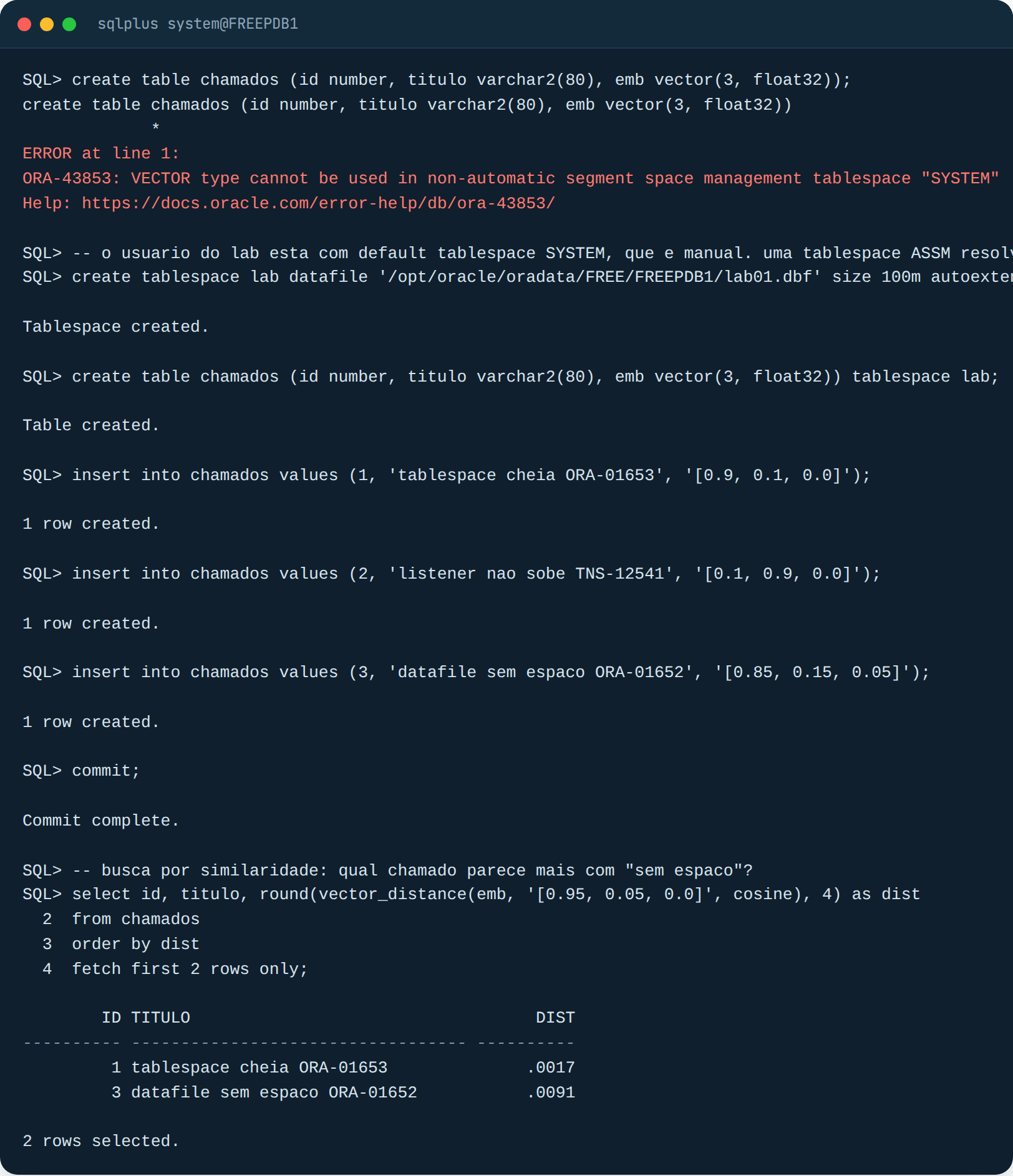
I left the error in the screenshot on purpose. The VECTOR type does not accept a tablespace with manual segment space management, and SYSTEM is manual. I created an ASSM tablespace and the table was born. Then the SELECT with VECTOR_DISTANCE ranks the “tickets” by similarity to the vector I passed in. With three dimensions it is useless for anything real, but that is the mechanics: the application generates the embedding, stores it in the column, and the database runs the similarity search inside SQL, together with the other filters.
My take: it is well built and it is serious, there are HNSW and IVF indexes, a hybrid index with text, and the official list has more than fifty vector items alone. But anyone running an ERP will not be using this next week. If your database belongs to Protheus, SAP or the billing system, vector search is not a reason to upgrade. If you are building an AI application and already have an Oracle, then it is a reason, because it saves you from standing up a separate vector database just for that.
JSON Relational Duality, the same table seen as a document
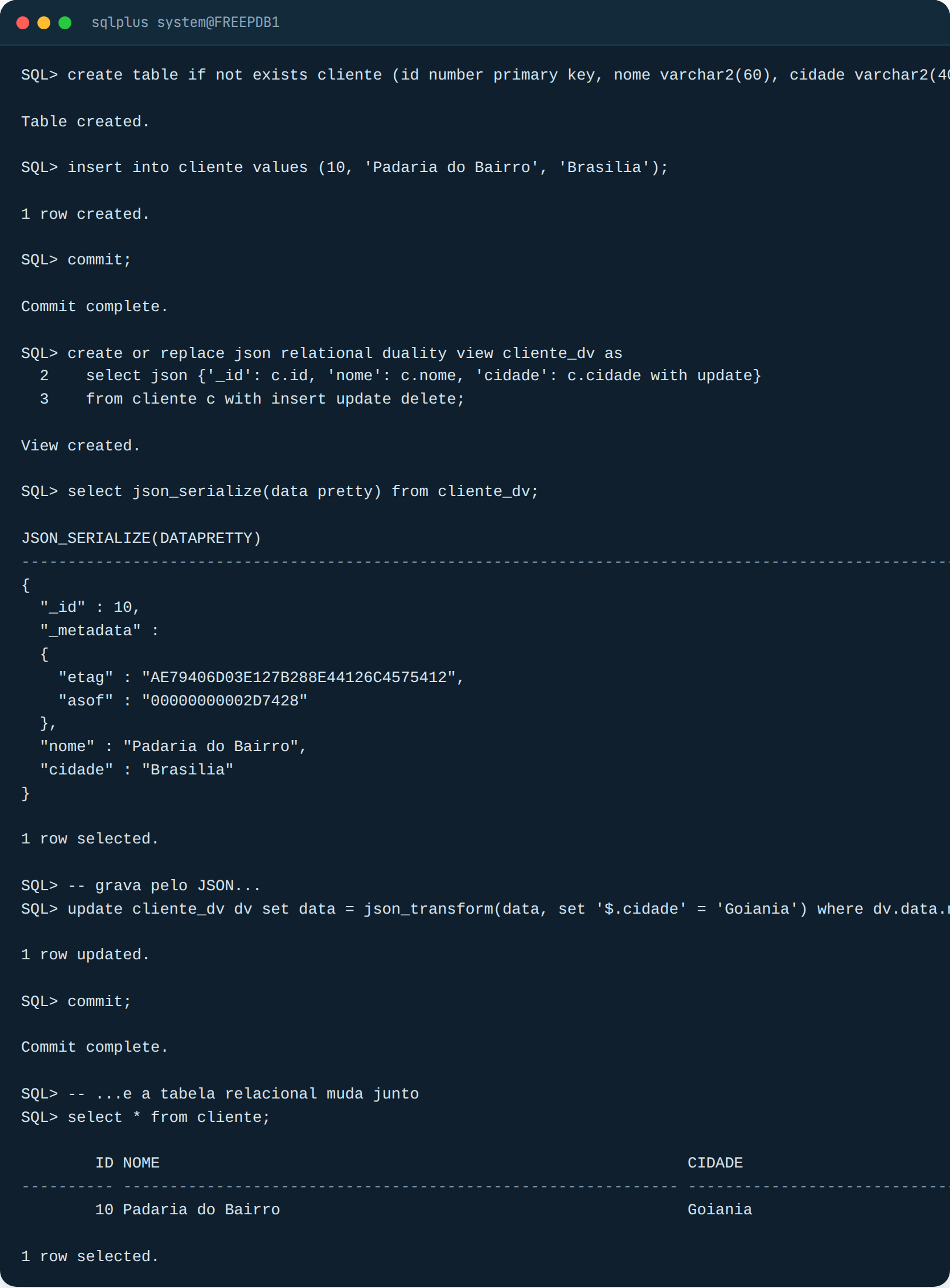
I created a regular cliente table, a duality view on top of it, and the SELECT returns a JSON document with _id, an etag and the fields. I did the UPDATE through the JSON, with JSON_TRANSFORM, and the table row changed. That is it: the developer works with documents, the DBA keeps the same tables, constraints, indexes and backups.
My take: great for a new system where the team wants a REST API with JSON without giving up the relational model. On a legacy system it changes nothing, nobody is going to rewrite the ERP to use this. And there is one point I will keep an eye on: the etag in _metadata is the optimistic concurrency control, whoever writes directly to the table and whoever writes through the view have to coexist, and that will generate tickets.
SQL Firewall, for me the best feature in 26ai
This one I had wanted for a long time. SQL Firewall ships included in 26ai (the official feature list says “Oracle SQL Firewall Included in Oracle AI Database”) and works like this: you capture what a user actually runs for a while, generate an allow list from it, and turn it on. From then on, that user only executes the SQL that is on the list. Everything else is blocked and logged, even if the user has the GRANT.
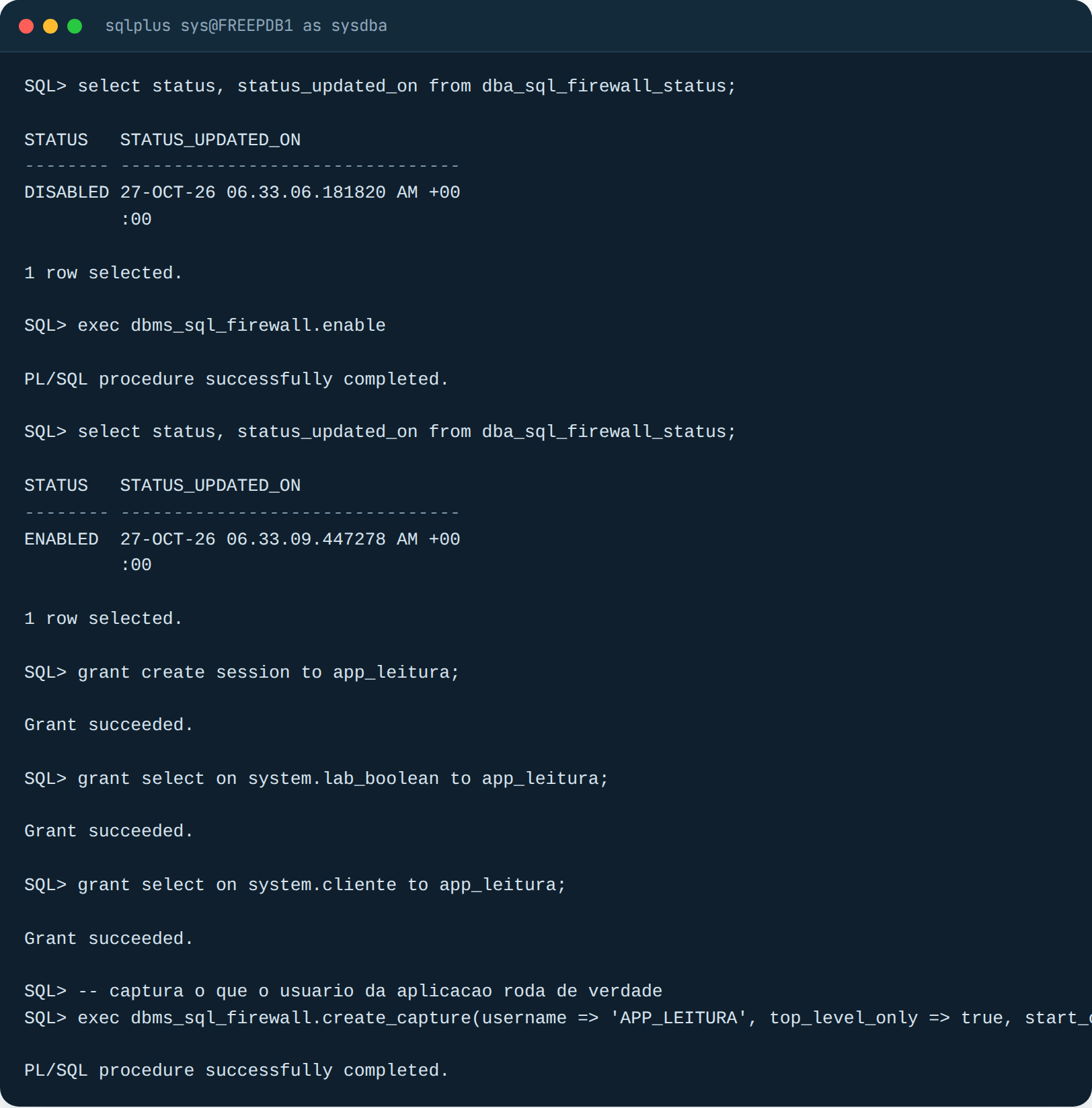
I ran the whole cycle in the lab. First, as SYS, I enable the firewall and open a capture for the app_leitura user:
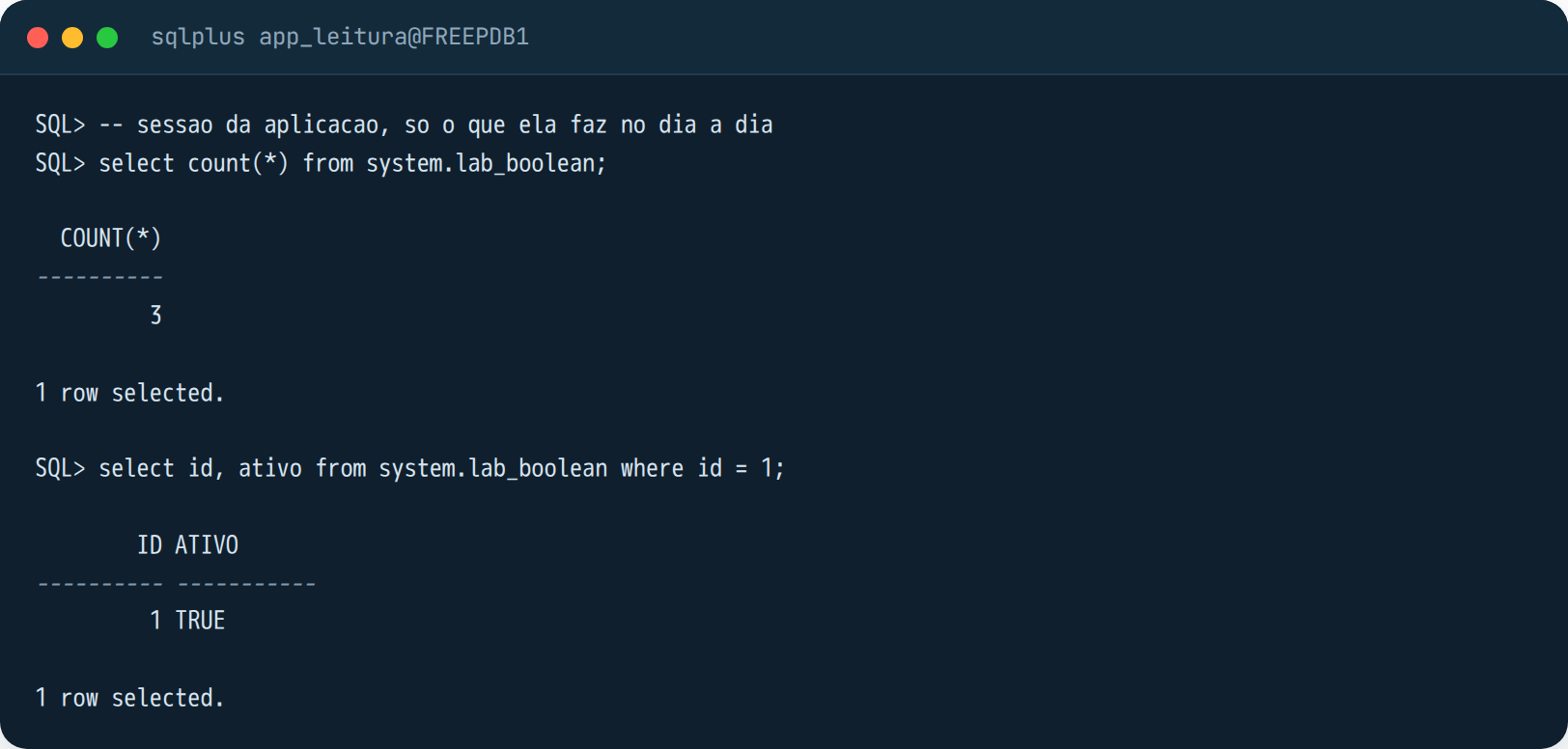
Then I log in as app_leitura and run what the “application” does day to day. Two SELECTs.
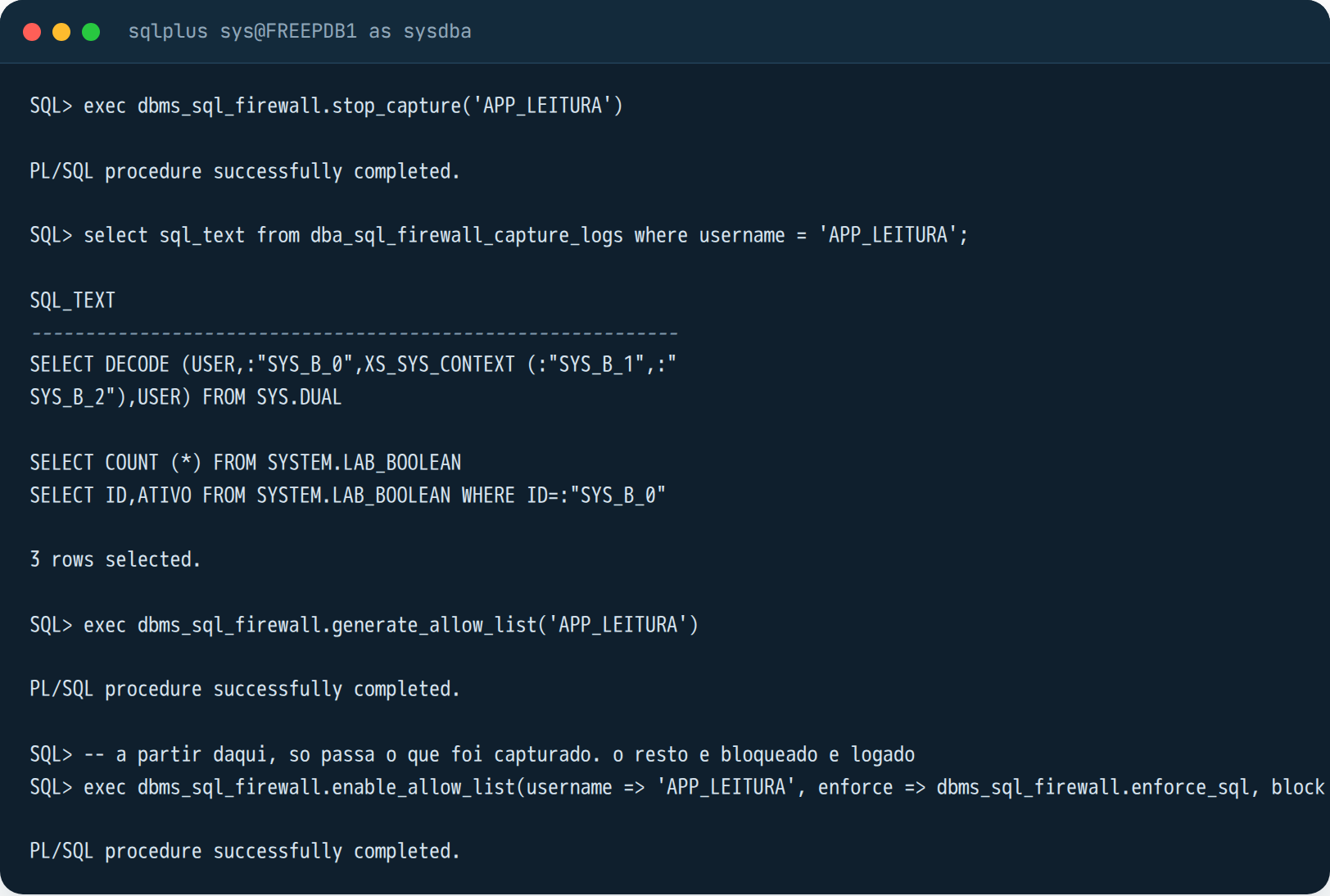
Back as SYS, I stop the capture, look at what was captured, generate the allow list and enable it with blocking:
And now the good part. Back as app_leitura, the SELECT that was on the list goes through. The SELECT on the other table, which the user has a GRANT on, does not:
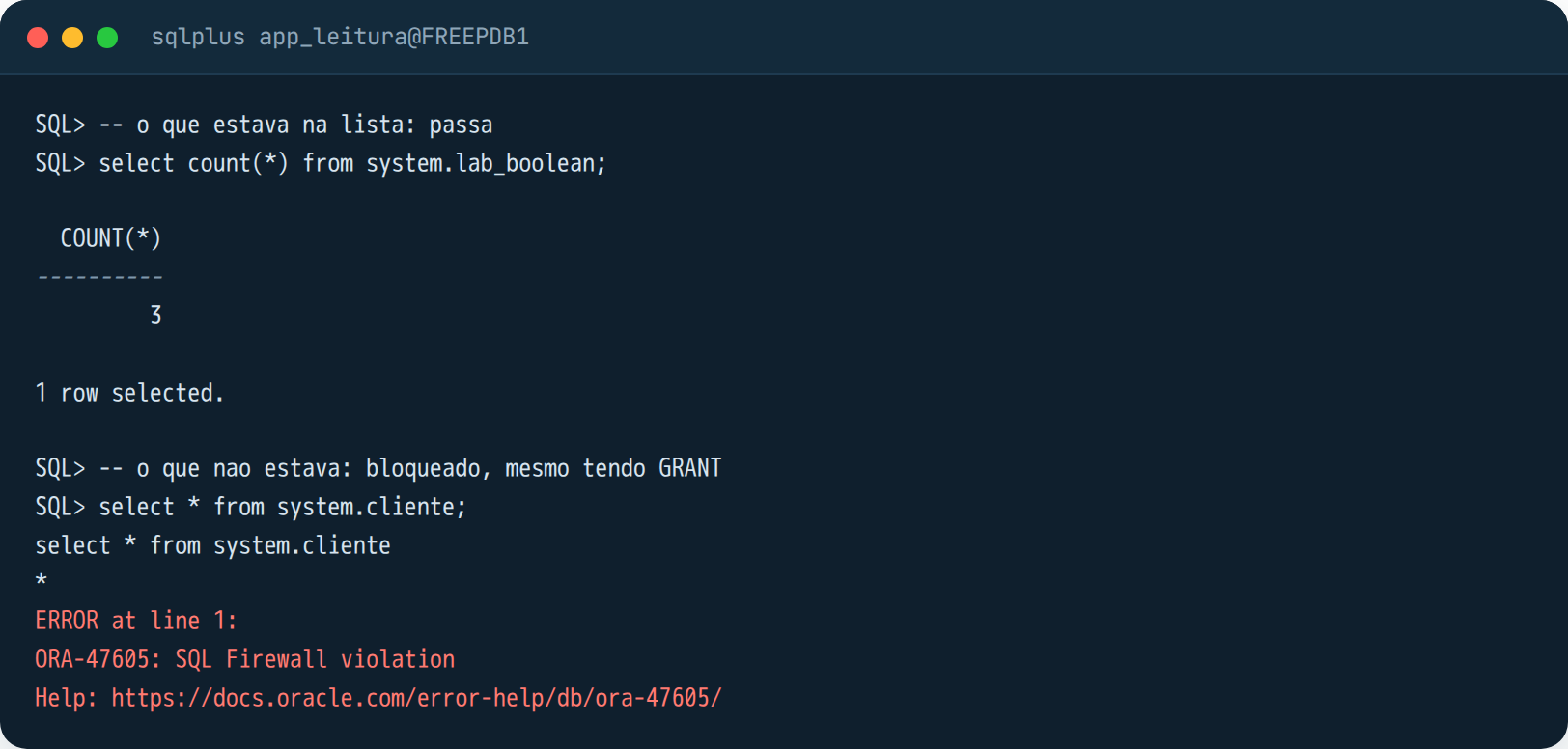
My take: if I could pick a single feature to justify 26ai on an ERP database, this is it. Every environment I walk into has a “BI tool” or “integration” user with too many privileges, because nobody knows exactly what the tool runs. With the firewall you find out (capture) and lock it down (allow list). For anyone who has connected an AI agent to the database through MCP, this is the missing piece: the agent only runs the SQL you have already seen.
The rest of the list, and what I think of each one
The official list of what is new in 26ai (document G43730, “Oracle AI Database New Features”, revised October 20, 2026) has fifteen chapters. I did not test everything and I will not pretend I did. What I read and think matters for people who operate databases:
True Cache. A read cache in front of the database that looks just like a database, for read-heavy applications. The application points at the cache and Oracle takes care of it. So far I have only seen it in Oracle’s lab, and I would not put it in production without a client who really has that read problem. But it is their answer to “let’s put a Redis in front”.
Lock-Free Reservations and Priority Transactions. The first lets two transactions touch the same balance without one waiting for the other, when the operation is an increment. The second lets you mark a transaction as low priority, and the database kills it on its own if it is holding a lock a high-priority transaction needs. This is for anyone who suffers from enq: TX at month-end close. I will want to test it under load.
Read-Only Users and Sessions. A user that is born read-only in the database, not through a role. Together with schema privileges and the firewall, it completes the “read-only user” kit without workarounds.
TLS 1.3, Post-Quantum Cryptography Support, passwords up to 1024 bytes, multi-factor authentication in the database itself. Anyone who goes through audits will like it. Anyone who does not will have to one day.
Raft Replication in Globally Distributed Database. Important, but it is for sharded distributed databases. It is not for the ERP database, so do not let the sales rep sell it to you as “new high availability”.
BIGFILE as the default for SYSTEM, SYSAUX and USERS, and shrink for bigfile and smallfile tablespaces. Anyone who has read our article on full tablespaces in Oracle knows why this matters: fewer datafiles to manage, and you can give space back without recreating the tablespace.
Real-Time SQL Plan Management and “Add Verified SQL Plan Baseline”. The optimizer detects a plan regression and goes back to the good plan on its own. If it works as promised, that means fewer “the query got slow after the patch” tickets. For the fundamentals behind it, see our post on execution plans in Oracle.
And what about Protheus?
TOTVS already lists Oracle Database 26ai on the Protheus certified databases page, Enterprise and Standard, next to 19 and 21. So certification is not a blocker. What I would do in a Protheus environment is the same as for any ERP: test DBAccess and the whole environment against a 26ai in staging first, because the application is what tells you whether the query plans changed. And, to be honest, if you run Protheus on SQL Server the more urgent conversation today is a different one, the end of support for SQL Server 2016.
What I would do
19c on Linux, RUs current: stay. Use 2027 to stand up a 26ai staging environment with a copy of your database (RMAN duplicate or Data Pump, either works) and run the application on it. Upgrade in 2028, with AutoUpgrade, and finish before December 2029 so you do not enter paid Extended. Keep COMPATIBLE at 19 for a few weeks after the upgrade, so you have a way back.
11g, 12c, 18c: move to 19c now. You are already without security patches, and 19c is the mandatory step toward 26ai. This upgrade is more work than 19 to 26, because it usually combines non-CDB to PDB, an operating system change and a hardware change in the same window.
21c: Premier ends in July 2027 and there is no Extended. It goes into the 2027 plan, no mercy.
Windows, AIX, Standard Edition 2: there is nothing to decide, because there is nothing to download. Stay on 19c, apply the RUs, and remember the Java 8 note from May 2027 onward. Keep an eye on the download page.
New database, new project: 26ai from day one. It makes no sense to be born on a release that already has an end date, and you get the firewall, the boolean and schema privileges for free.
And so nobody expects a miracle: a version upgrade does not make a database faster by itself. It leaves the database supported, patched, and with new tools for those who know how to use them. Performance remains a matter of plans, indexes, statistics and the application.
When to call a specialist
If your Oracle 19c has had no RU applied since 2024, if it is still non-CDB, if it runs on Windows, or if nobody in the company can say what the current COMPATIBLE is, the upgrade is not the first step. The first step is an environment survey, with the date of each item, and a plan with the windows. That is what Furushima does in its Oracle database consulting practice: diagnosis, upgrade with AutoUpgrade and a tested rollback, and monitoring switched on before and after to prove it ended up the same or better. If you want to talk about your case, talk to us.
Cover photo: Vestman, CC BY 2.0, via Wikimedia Commons (cropped). The documentation screenshots are from Oracle’s PDF and public pages, from Mike Dietrich’s blog and from the TOTVS TDN, reproduced for citation, with links in the list below. The SQL*Plus screenshots are from a lab Oracle AI Database 26ai Free 23.26.3, in a container, with made-up data.
References
- Oracle: Lifetime Support Policy, Oracle Technology Products (PDF, dates for 19c, 21c and 26ai, note 3 on Java 8)
- Oracle: Oracle Database Releases That Support Direct Upgrade (26ai Upgrade Guide)
- Oracle: Oracle AI Database New Features, Release 26ai (G43730)
- Oracle: Oracle AI Database 26ai Download for Linux x86-64
- Oracle: Oracle AI Database Free, Quick Start (container, ARM, limits of 2 CPUs, 2 GB and 12 GB)
- Mike Dietrich: Oracle AI Database 26ai replaces Oracle Database 23ai (October 14, 2025)
- Mike Dietrich: It’s there, Oracle AI Database 26ai is available for download (January 27, 2026)
- Mike Dietrich: Oracle 23.26.3 may require a larger SGA than previous releases (October 14, 2026)
- DBTA: Oracle AI Database 26ai for Linux x86-64 On-Premises Platforms Is Now Generally Available
- The Register: Oracle extends 19c database support to 2032 (February 18, 2025)
- TOTVS TDN: Certified databases for Protheus (Banco de Dados Homologados)