Starting the Oracle database instance
Before users can connect to a database instance, a database administrator must start the database instance. The instance and the database go through stages as the database is made available for user access. The instance is started, the database is mounted, and then the database is opened, as shown in the slide.
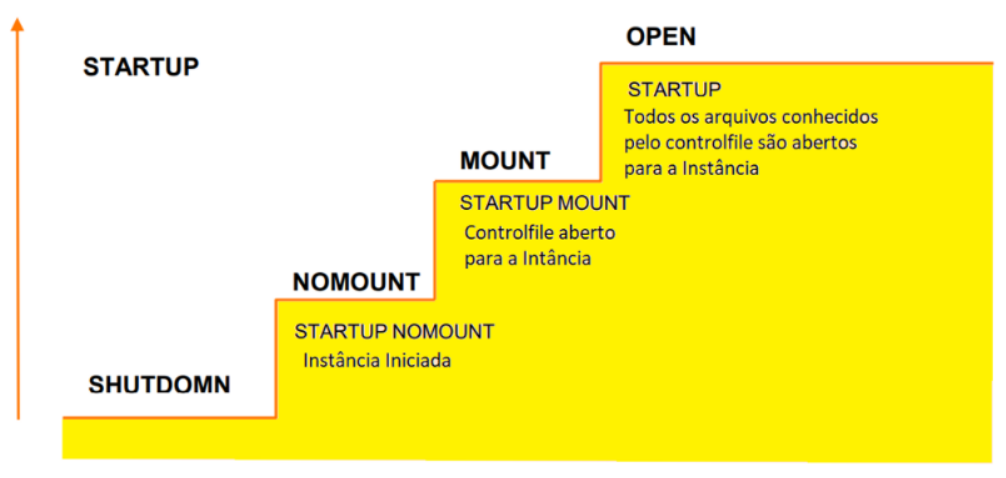
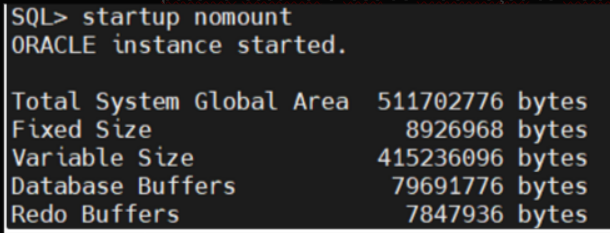
NOMOUNT: In this stage, the Oracle software reads an initialization parameter file, PFILE or SPFILE, starts the background processes, allocates memory for the SGA, and opens the alert log and the trace files. An instance is typically started in NOMOUNT mode only during database creation, during control file re-creation, or in specific backup and recovery scenarios.
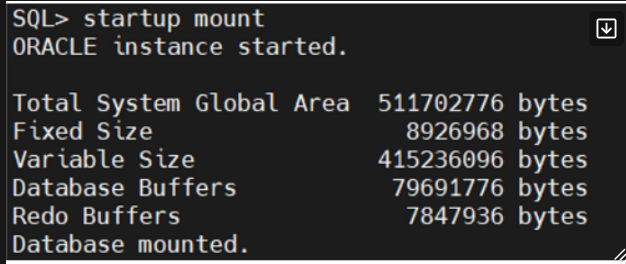
MOUNT: In this stage, the Oracle software associates the database with the previously started database instance, opens and reads the control file specified in the initialization parameter file, PFILE or SPFILE, and obtains the names and states of the datafiles and redo logs. At this stage, however, no checks are performed to confirm that the datafiles and redo logs exist. Start in MOUNT mode to perform certain maintenance operations, such as renaming datafiles or restoring the database.
OPEN: The Oracle software opens the redo logs and the datafiles according to the list recorded in the control file. Start in OPEN mode to allow users to connect to the database instance. PDBs are not started by default when you open the database.
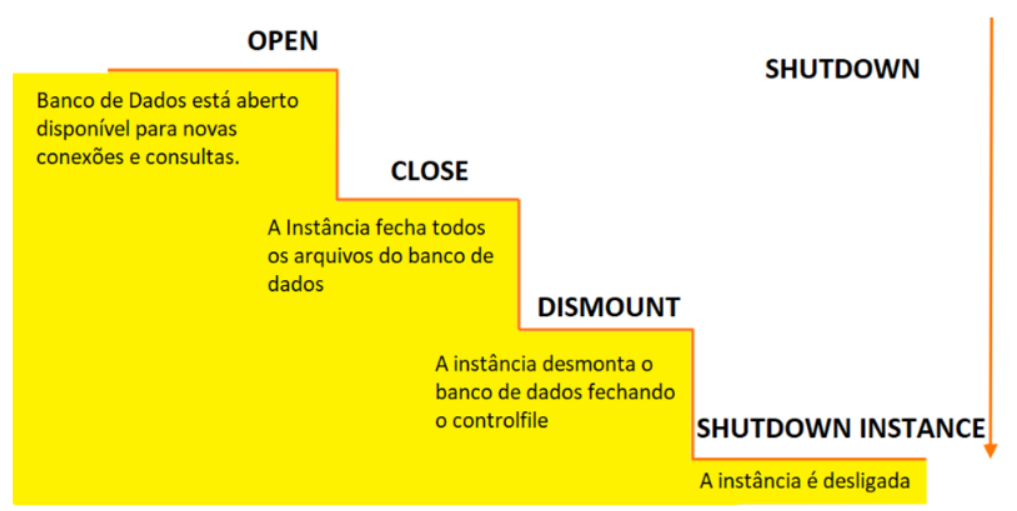
Shutting down the Oracle database instance
Sometimes you need to shut down the database instance (for example, to change a static parameter or to apply a patch to the database server).
Use the SHUTDOWN command to shut down the database instance, but there are several possible modes for shutting it down: ABORT, IMMEDIATE, NORMAL and TRANSACTIONAL.
| ABORT | IMMEDIATE | NORMAL | TRANSACTIONAL | |
| Allows new connections | NO | NO | NO | NO |
| Waits until all sessions end | NO | NO | YES | NO |
| Waits until all transactions end | NO | NO | YES | YES |
| Forces a checkpoint and closes all files | NO | YES | YES | YES |
ABORT: If the other shutdown modes do not work, you can use ABORT mode. ABORT mode performs the least amount of work before shutting down. Because this mode leaves the database in an inconsistent state and requires recovery before restart, use it only when necessary. Backing up the database in this state is not advisable. It is generally used when no other form of shutdown works, when there are problems starting the database instance, or when you need to shut down immediately because of an imminent situation (such as a power outage warning within a matter of seconds). ABORT is usually the fastest shutdown mode, and NORMAL is the slowest. The NORMAL and TRANSACTIONAL modes can take a long time, depending on the number of sessions and transactions.
During an ABORT mode shutdown, an instance failure, or a database instance restart in FORCE mode, this is what happens to the database:
- Current SQL statements being processed by the Oracle server are immediately terminated.
- The Oracle server does not wait for users currently connected to the database to disconnect.
- Database buffers and redo buffers are not written to disk.
- Uncommitted transactions are not rolled back.
- The instance is terminated without closing the files.
- The database is not closed or dismounted.
- The next restart requires instance recovery, which is performed automatically by the SMON process.
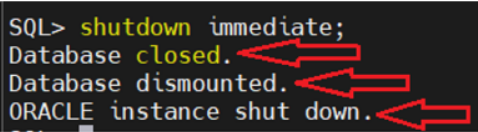
IMMEDIATE: An IMMEDIATE mode shutdown is the most commonly used option. • Current SQL statements being processed by the database instance are not completed. • The database server does not wait for users currently connected to the database instance to disconnect. • The database server rolls back active transactions and disconnects all connected users. • The database server closes and dismounts the database before shutting down the database instance.
NORMAL: NORMAL is the default shutdown mode if no mode is specified with the SHUTDOWN command. • New connections cannot be made. • The Oracle server waits for all users to disconnect before completing the shutdown. • Database buffers and redo buffers are written to disk. • Background processes are terminated and the SGA is removed from memory. • The Oracle server closes and dismounts the database before shutting down the instance.
TRANSACTIONAL: A TRANSACTIONAL mode shutdown prevents clients from losing data, including the results of their current activity. • No client can start a new transaction on this particular instance. • A client is disconnected when the client ends the transaction that is in progress. • When all transactions have completed, an immediate shutdown occurs.
Practical examples:
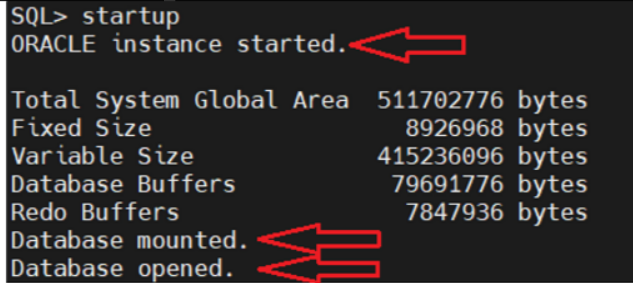
By running just the STARTUP command, you can see every stage the instance goes through until it reaches the OPEN state, where the database is open and ready to accept connections:
You can choose the startup phase of the instance by using the NOMOUNT or MOUNT options:
STARTUP NOMOUNT, the PFILE or SPFILE parameter file will be read and only the instance will allocate memory:
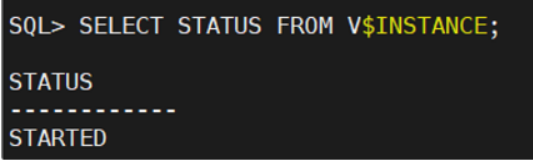
-- VERIFICAR O STATUS(FASE) DA INSTÂNCIA

SELECT STATUS FROM V$INSTANCE;
When you query the instance status, it will show
STARTUP MOUNT, the PFILE or SPFILE parameter file will be read, the instance will start and the control file will be mounted:
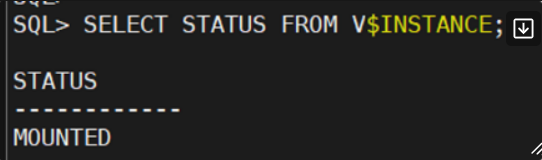
When you query the instance status, it will show as MOUNTED:
SHUTDOWN IMMEDIATE, which is the most commonly used, also shows all the phases: